Shortlist by job按任务筛选
The best APIs for Microsoft Copilot workflowsMicrosoft Copilot 工作流的最佳 API
These are ranked by architectural fit, not by a universal score. Confirm licensing, regional availability, limits, and connector support in the official documentation for your tenant.下列排序依据是架构适配度,不是通用评分。许可证、区域可用性、限额和连接器支持情况,应以租户对应的官方文档为准。
01
Microsoft Graph API
Best first API when the workflow lives inside Microsoft 365. Graph provides a consistent resource model for users, groups, mail, calendars, files, sites, Teams, and more. It preserves Microsoft identity and permission semantics, but broad scopes can create unnecessary exposure. Start with one resource, one operation, and the least privilege listed in the official Graph overview.如果工作流主要发生在 Microsoft 365 内,Graph 通常是首个 API。它为用户、群组、邮件、日历、文件、站点和 Teams 等资源提供统一模型,同时延续 Microsoft 身份与权限语义。广泛 Scope 会增加暴露面,因此应从一个资源、一个操作和官方 Graph 概述列出的最小权限开始。
MAILFILESCALENDARTEAMS
02
Microsoft 365 Copilot connectors API
Best for bringing external, unstructured enterprise content into Microsoft 365 search and Copilot experiences. The API creates external connections, schemas, items, and external groups. Treat schema and ACL design as product work: weak identifiers, stale sync, or incorrect permissions produce weak grounding. Review the Copilot connectors API overview.适合把外部非结构化企业内容带入 Microsoft 365 搜索与 Copilot 体验。该 API 可创建外部连接、Schema、内容项和外部群组。Schema 与 ACL 设计必须按产品级工作处理:标识不稳定、同步过期或权限错误都会削弱 Grounding。参阅 Copilot connectors API 概述。
KNOWLEDGEINDEXINGACL
03
Copilot Studio connectors and custom APIs
Best for agent actions. Prefer a prebuilt connector when its operations and authentication fit. Otherwise define a narrow custom connector from OpenAPI, add a REST API tool, or connect a supported MCP server. Keep reads separate from writes and require confirmation for consequential operations. Microsoft documents the available patterns in Add tools to custom agents.适合让 Agent 执行动作。如果预置连接器的操作和认证方式匹配,应优先使用;否则可通过 OpenAPI 定义窄范围自定义连接器、加入 REST API 工具,或连接受支持的 MCP server。读写动作应拆分,高影响写入必须要求确认。微软在为自定义 Agent 添加工具中说明了这些模式。
ACTIONSOPENAPIMCP
04
CRM APIs: Dynamics 365, Salesforce, or HubSpot
Best when a seller or service agent needs current accounts, contacts, opportunities, cases, or approved record updates. Choose the system of record your team actually governs; do not mirror the whole CRM into prompts. Retrieve only fields needed for the decision and make updates idempotent. In Copilot Studio, first check the official connector reference.适合销售或服务 Agent 获取当前客户、联系人、商机、Case,或执行获批记录更新。应选择团队真正治理的记录系统,不要把整个 CRM 镜像到 Prompt;只读取决策所需字段,并让更新具备幂等性。使用 Copilot Studio 时,先查看官方连接器参考。
SALESSERVICESYSTEM OF RECORD
05
Work-management APIs: Jira, ServiceNow, Asana, or Linear
Best for triage, status synthesis, assignment, and governed ticket changes. Normalize status, priority, owner, timestamps, and canonical URLs before sending data to the model. Draft-first writes are safer than direct transitions; use provider request IDs to reconcile timeouts.适合分诊、状态汇总、指派和受控工单变更。将数据交给模型前,应统一状态、优先级、负责人、时间戳和规范 URL。先生成草稿比直接转换状态更安全;遇到超时,应使用服务商 Request ID 核对真实状态。
TICKETSPROJECTSAPPROVAL
06
Search and retrieval APIs
Best when users need fresh public-web evidence or a private retrieval index outside Microsoft 365. Return source URLs, titles, dates, and bounded snippets; domain-filter high-stakes queries. For rapidly changing provider coverage, use QVeris Tools discovery to inspect a capability and its schema before committing to a provider.适合获取最新公开网页证据,或查询 Microsoft 365 之外的私有检索索引。返回内容应包含来源 URL、标题、日期和受限片段;高风险查询应限制域名。面对不断变化的服务商覆盖,可用 QVeris 工具发现先检查能力与 Schema,再决定服务商。
FRESHNESSCITATIONSRAG
07
Data and analytics APIs
Best for governed answers from operational metrics, warehouses, or business intelligence. Put semantic definitions, row-level security, query limits, and aggregation rules outside the model. Prefer approved views or parameterized functions to open-ended SQL, and return the query or metric definition with the answer.适合从运营指标、数据仓库或商业智能系统中生成受治理答案。语义定义、行级安全、查询限制和聚合规则必须放在模型之外。优先使用获批视图或参数化函数,而不是开放 SQL,并随答案返回查询或指标定义。
BIWAREHOUSESEMANTIC LAYER
08
Messaging and notification APIs
Best as the final delivery or approval step—not the source of truth. Draft a Teams, Outlook, or Slack payload with recipient, channel, evidence links, and action summary; let a policy or reviewer authorize sending. Separate “prepare message” from “send message” so a retry cannot silently duplicate communication.最适合作为最终交付或审批环节,而非事实源。先生成包含收件人、频道、证据链接和动作摘要的 Teams、Outlook 或 Slack Payload,再由策略或审核者授权发送。“准备消息”与“发送消息”必须拆开,避免重试导致重复通知。
HANDOFFNOTIFYHUMAN REVIEW
Choose by workflow outcome, not brand familiarity按工作流结果选型,不按品牌熟悉度
| Outcome目标 | Best starting surface首选接入面 | Typical API典型 API | Primary control核心控制 |
|---|
| Answer from Microsoft 365基于 Microsoft 365 回答 | Microsoft Graph | Mail, Files, Calendar, Teams | Least-privilege scopes最小权限 Scope |
| Find external enterprise knowledge查找外部企业知识 | Copilot connectors | External connections and items | ACL and sync freshnessACL 与同步新鲜度 |
| Change a business record变更业务记录 | Copilot Studio tool | CRM or ticket connector | Preview, approval, idempotency预览、审批、幂等性 |
| Research current public facts研究最新公开事实 | Search tool | Web search or retrieval API | Source allowlist and citations来源白名单与引用 |
| Answer with company metrics用公司指标回答 | Governed data tool | BI, warehouse, or metric API | Semantic layer and row security语义层与行级安全 |
A reference architecture for Copilot API workflowsCopilot API 工作流的参考架构
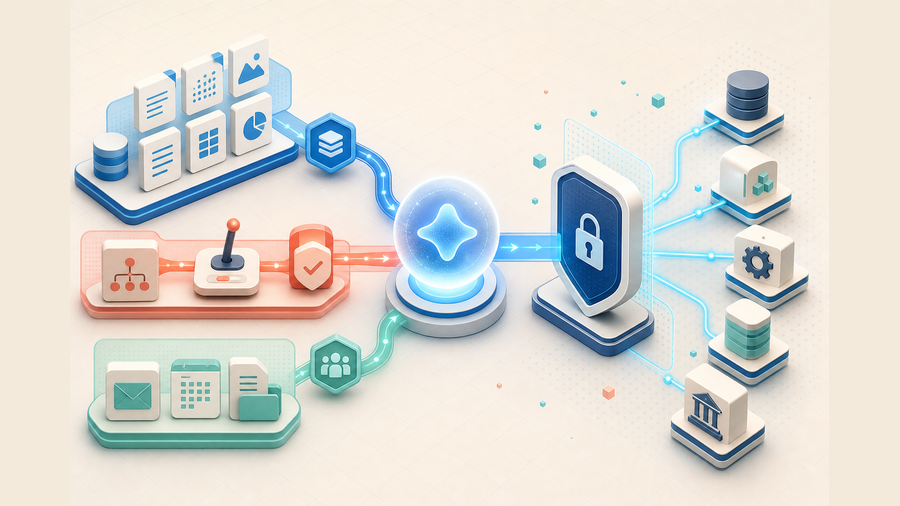
A production integration is easier to reason about when it is separated into four contracts: the Copilot experience that receives the request, the orchestration layer that selects knowledge or tools, an API boundary that enforces identity and policy, and the systems that own records. The model can propose a tool call, but it should not own authorization, retries, or the final truth about whether a write succeeded.生产级集成最好拆成四层契约:接收请求的 Copilot 体验、选择知识或工具的编排层、执行身份与策略控制的 API 边界,以及真正持有记录的业务系统。模型可以提出工具调用,但不应负责授权、重试,也不能判断写入是否最终成功。
| Layer层级 | Responsibility职责 | Good contract良好契约 | Failure to prevent需要防止的问题 |
|---|
| Copilot experienceCopilot 体验 | Capture intent and show evidence, previews, and approvals获取意图,展示证据、预览与审批 | One bounded user outcome一个边界明确的用户结果 | A chat response mistaken for completed work把聊天回答误当成已完成操作 |
| Orchestration编排 | Choose knowledge, actions, and order of execution选择知识、动作与执行顺序 | Specific tool names and typed inputs明确工具名称与类型化输入 | Wrong tool or unsafe action chaining选错工具或不安全动作串联 |
| Policy gateway策略网关 | Authenticate, authorize, validate, budget, and log认证、授权、校验、预算与日志 | Deterministic checks outside the model模型之外的确定性检查 | Prompt text expanding permissionsPrompt 文本扩大权限 |
| System of record记录系统 | Return current state and commit approved writes返回当前状态并提交获批写入 | Canonical IDs and idempotency keys规范 ID 与幂等键 | Duplicate or unverifiable writes重复或无法核验的写入 |
Synced knowledge, federated knowledge, and direct actions同步知识、联邦知识与直接动作
Microsoft now documents two Copilot connector models. Synced connectors ingest external content into Microsoft Graph so it can be indexed and permission-trimmed. Federated connectors retrieve content in real time through MCP without first copying it into the Graph index. Choose synced retrieval for discoverability across a large, relatively stable corpus; choose federated retrieval when freshness, source-local policy, or avoiding duplication is more important. Neither model automatically replaces an action API that updates a CRM, ticket, or database. The Microsoft 365 Copilot extensibility overview is the authoritative starting point.微软目前明确区分两种 Copilot connector:同步连接器将外部内容摄取到 Microsoft Graph,以便建立索引并按权限裁剪;联邦连接器通过 MCP 实时取数,无需先复制到 Graph 索引。大规模且相对稳定的知识库适合同步模式;强调新鲜度、源端策略或避免数据复制时,更适合联邦模式。两者都不能自动替代更新 CRM、工单或数据库的动作 API。应以 Microsoft 365 Copilot 扩展概述作为权威入口。
Where the newer Copilot APIs fit新版 Copilot APIs 的位置
Microsoft 365 Copilot APIs add AI-powered capabilities above ordinary Graph CRUD. The Retrieval API grounds your own application or custom engine agent in Microsoft 365 content; the Search API and Chat API are documented as preview capabilities and should be evaluated against current tenant availability and terms. Use ordinary Graph endpoints when you need explicit resource reads or writes. Use a Copilot API when the required capability is reasoning or retrieval over Microsoft 365 knowledge rather than raw resource manipulation. Review the official Copilot APIs overview before making production assumptions.Microsoft 365 Copilot APIs 在普通 Graph CRUD 之上提供 AI 能力。Retrieval API 可让自建应用或 custom engine agent 基于 Microsoft 365 内容进行 Grounding;Search API 和 Chat API 当前在官方文档中标为 Preview,必须结合租户可用性和最新条款评估。需要明确读写资源时使用普通 Graph endpoint;需要对 Microsoft 365 知识进行推理或检索时,才考虑 Copilot API。生产决策前应查看官方 Copilot APIs 概述。
Identity and permission design身份与权限设计
API quality does not compensate for the wrong identity model. Decide whether each call represents the signed-in user, an application, or a resource-specific installation before choosing scopes. Microsoft Graph distinguishes delegated access from application access; resource-specific consent can narrow access to the resource where an app is installed. Microsoft recommends requesting the fewest permissions required because broad scopes increase both security exposure and the chance that a tenant administrator rejects the integration.身份模型错误,再好的 API 也无法弥补。选择 Scope 前,应确定每次调用代表登录用户、应用自身,还是特定资源中的安装实例。Microsoft Graph 区分委托访问与应用访问;资源特定同意可以把权限限制在应用安装的资源内。微软建议只申请完成任务所需的最少权限,因为宽泛 Scope 不仅增加安全暴露,也更容易被租户管理员拒绝。
Delegated access委托访问
Use when a user is present and the action must respect that user’s rights. The effective access is constrained by both granted scopes and the user’s permissions.适用于用户在线、操作必须遵循该用户权限的场景。最终访问范围同时受已授予 Scope 与用户自身权限约束。
Application access应用访问
Use for approved background processing without a signed-in user. Treat it as a separate service identity with narrower endpoints, monitoring, and stronger administrative review.适用于没有登录用户的获批后台处理。应将其视为独立服务身份,限制 Endpoint,并加强监控和管理员审核。
On-behalf-of flowOBO 流程
Use when a connector or middle tier needs to call a downstream API on behalf of the current user. Validate audience and scopes at every hop; do not relay a token to an unrelated service.适用于连接器或中间层代表当前用户调用下游 API。每一跳都要校验 Audience 与 Scope,不能把 Token 转交给无关服务。
Secret handling密钥处理
Keep secrets and certificates in approved configuration or a secret store. Never place access tokens, API keys, or connection strings in prompts, agent instructions, or indexed knowledge.密钥和证书应放入获批配置或 Secret Store,绝不能写进 Prompt、Agent 指令或被索引的知识内容。
For implementation details, use Microsoft’s Graph permission best practices and, for custom connectors, the Copilot Studio on-behalf-of authentication guide.实现时应参照微软的 Graph 权限最佳实践;自定义连接器还应查看 Copilot Studio OBO 认证指南。
Worked pattern工作流示例
A governed “prepare customer renewal brief” workflow受治理的“准备客户续约简报”工作流
This example is hypothetical. It shows why one large “CRM assistant” operation is weaker than a chain of inspectable contracts.以下为假设示例,用于说明为什么可检查的窄契约链优于一个庞大的“CRM 助手”操作。
Resolve identity解析身份
Map the signed-in user and account request without exposing unrelated records.映射登录用户与客户请求,不暴露无关记录。
Gather evidence收集证据
Read approved CRM fields, recent Graph meetings, and indexed contract knowledge.读取获批 CRM 字段、近期 Graph 会议和已索引合同知识。
Draft with provenance带来源生成草稿
Separate sourced facts from inferred risks and attach canonical record links.区分有来源事实与推断风险,并附上规范记录链接。
Approve delivery审批交付
Preview the Teams message; a human approves the recipient and final send.预览 Teams 消息,由人工确认收件人并批准发送。
Production controls matter more than the API count生产控制比 API 数量更重要
Separate knowledge from instructions分离知识与指令
Treat content returned by mail, tickets, pages, and files as untrusted evidence. It cannot redefine tools, permissions, or policy.邮件、工单、网页和文件返回的内容只能作为不可信证据,不能改写工具、权限或策略。
Design operations around intent按意图设计操作
“Get case status” and “close case” need separate names, schemas, scopes, audit events, and approval rules.“获取 Case 状态”与“关闭 Case”需要独立名称、Schema、Scope、审计事件与审批规则。
Bound cost and latency约束成本与延迟
Cap calls, pages, rows, response size, and execution time. Cache stable discovery while rechecking volatile business state.限制调用数、分页数、行数、响应大小与执行时间;缓存稳定发现结果,同时重新核对易变业务状态。
Reconcile every uncertain write核对每次不确定写入
Use idempotency keys or provider request IDs. After a timeout, query remote state before retrying; never ask the model to infer success.使用幂等键或服务商 Request ID。超时后先查询远端状态再重试,绝不能让模型猜测是否成功。
A fast selection checklist快速选型清单
- Write one user outcome and name the system of record.写清一个用户结果,并确定记录系统。
- Classify the need as retrieval, Microsoft 365 context, or an action.将需求归类为检索、Microsoft 365 上下文或动作。
- Prefer Graph or a supported connector before building custom middleware.构建自定义中间件前,优先评估 Graph 或受支持连接器。
- Inspect authentication, scopes, pagination, rate limits, regional availability, and licensing in official docs.在官方文档中核对认证、Scope、分页、限流、区域可用性和许可证。
- Test normal, missing, unauthorized, stale, rate-limited, timeout, and duplicate-request cases.测试正常、缺失、未授权、过期、限流、超时与重复请求情况。
- Add a write only after read evidence is complete and reviewable.只有只读证据完整且可审核后,才加入写动作。
A production testing playbook生产测试流程
A connector that succeeds once in a maker session is not production-ready. Build a fixed evaluation set around one representative workflow, record expected sources and allowed actions, and run it after every schema, instruction, connector, permission, or model change.连接器在 Maker 会话中成功一次,并不代表可用于生产。应围绕一个代表性工作流建立固定评测集,记录期望来源与允许动作,并在每次 Schema、指令、连接器、权限或模型变更后重复运行。
Baseline the manual path记录人工基线
Capture systems, fields, evidence, approvals, elapsed time, and the decision a person makes at the end.记录系统、字段、证据、审批、耗时以及最终人工决策。
Stress retrieval压力测试检索
Test missing, stale, permission-trimmed, duplicated, and conflicting content. Verify every conclusion points to the right source.测试缺失、过期、权限裁剪、重复与冲突内容,确认每个结论都指向正确来源。
Attack action boundaries攻击动作边界
Submit malformed IDs, forbidden records, injected instructions, expired tokens, throttling, and timeouts after submission.提交错误 ID、禁止记录、注入指令、过期 Token、限流,以及提交后的超时情况。
Approve a narrow release批准窄范围上线
Ship only documented tools, scopes, budgets, owners, audit fields, rollback paths, and review dates.只上线已记录的工具、Scope、预算、负责人、审计字段、回滚路径和复审日期。
What to measure需要衡量什么
Track tool-selection accuracy, evidence completeness, authorization failures, unsupported claims, calls per completed task, throttling and timeout rate, duplicate-write prevention, reviewer corrections, latency, and provider cost. Do not invent a universal pass score. Set thresholds from the risk of the workflow: a read-only knowledge assistant and an agent that changes customer records should not share the same release gate.应跟踪工具选择准确性、证据完整度、授权失败、无依据结论、单个完成任务的调用数、限流与超时率、重复写入防护、审核修正、延迟和服务商成本。不要虚构通用及格线;阈值应由工作流风险决定,只读知识助手与修改客户记录的 Agent 不应使用同一上线门槛。
Troubleshooting Microsoft Copilot API workflowsMicrosoft Copilot API 工作流故障排查
Copilot selects the wrong toolCopilot 选择了错误工具
Replace broad names such as “manage customer” with intent-specific operations such as “get renewal evidence” and “draft renewal note.” Remove unused inputs, document negative scope, and test pairs of similar requests. With MCP, the server name and description also influence discovery; Microsoft’s MCP onboarding guide explicitly calls for a clear description.把“管理客户”这类宽泛名称拆成“获取续约证据”和“起草续约备注”等意图明确的操作;删除无用输入,写清禁止范围,并用相似请求成对测试。使用 MCP 时,Server 名称与描述也会影响发现;微软的 MCP 接入指南明确要求提供清晰描述。
The API works directly but fails in Copilot StudioAPI 直连正常,但在 Copilot Studio 中失败
Compare connector authentication, token audience, consent, environment policy, data-loss-prevention rules, network reachability, and the operation schema. A successful call with a personal token does not prove that the agent’s connection reference or end-user identity has access.对比连接器认证、Token Audience、Consent、环境策略、数据丢失防护规则、网络可达性与操作 Schema。个人 Token 调用成功,并不能证明 Agent 的连接引用或终端用户身份具备访问权。
Knowledge is missing or stale知识缺失或过期
For synced connectors, inspect the connection, schema, item IDs, ACLs, crawl or push schedule, and failed ingestion records. For federated retrieval, inspect source availability, MCP authentication, query translation, response limits, and latency. Do not hide freshness uncertainty; surface the source timestamp in the answer.同步连接器应检查 Connection、Schema、内容 ID、ACL、抓取或推送计划与失败摄取记录;联邦检索应检查源可用性、MCP 认证、查询转换、响应限制与延迟。不要隐藏新鲜度不确定性,应在回答中展示来源时间戳。
A write times out写入操作超时
Treat the result as unknown, not failed. Query the system of record with the idempotency key or request ID, reconcile state, and retry only when the original operation is proven absent or repeatable. If the provider cannot support reconciliation, route the case to a human.应将结果视为“未知”,而不是“失败”。使用幂等键或 Request ID 查询记录系统并核对状态,只有确认原操作不存在或可重复时才重试;如果服务商无法支持状态核对,则转交人工处理。
Terms that prevent architecture confusion避免架构混淆的关键术语
Microsoft Graph API
Resource APIs for Microsoft cloud data and operations. Use for explicit reads and writes.面向 Microsoft 云数据与操作的资源 API,用于明确读写。
Copilot APIs
AI-powered Microsoft 365 capabilities such as retrieval; not a synonym for every Graph endpoint or connector.Microsoft 365 的 AI 能力,例如 Retrieval;并非所有 Graph Endpoint 或连接器的统称。
Copilot connector
A synced or federated route for making external knowledge available to Microsoft 365 Copilot experiences.让 Microsoft 365 Copilot 体验获取外部知识的同步或联邦通道。
Copilot Studio connector
A Power Platform connection that exposes service operations to agents and flows.向 Agent 与 Flow 暴露服务操作的 Power Platform 连接。
MCP server
A model-facing tool and resource server. Copilot support, transport, authentication, and administration still determine actual availability.面向模型提供工具与资源的 Server;实际可用性仍取决于 Copilot 支持、Transport、认证和管理策略。
System of record
The authoritative system that owns the current business state; Copilot output is not a replacement for it.持有当前业务状态的权威系统;Copilot 输出不能取代它。
If the capability may be served by multiple providers, inspect the available schema in the QVeris Playground with non-sensitive test data. For a reusable tool surface, read the QVeris MCP server guide.如果同一能力可能由多个服务商提供,可先在 QVeris Playground 中使用非敏感测试数据检查 Schema。若需要可复用工具面,请阅读 QVeris MCP server 指南。