
AI Agents Are Everywhere, But What Can They Actually Call?
QVeris · Tested with real data
As investment research, quantitative analysis, and risk control all begin integrating AI, the real gap will be created by one thing: who can connect agents to real-time financial capabilities.
AI Agents Are Everywhere, But What Can They Actually Do for You?
AI Agents have been getting a lot of attention recently.
Many people are saying that the future of AI is not just about chatting, but about getting work done for you.
But that raises a practical question:
If AI is going to do real work, answering questions is not enough. It also needs to query data, find tools, call services, and complete tasks.
For example, you might ask AI:
"Help me check today's market data for a certain A-share stock."
"Help me analyze a company's financial report."
"Help me find a tool that can query weather, maps, news, and financial data."
"Help me call an API and organize the results."
A regular AI model may only give you a paragraph of text.
A real Agent needs to connect to real tools and real data.
That is the problem QVeris is built to solve.
In One Sentence: What Is QVeris?
**
**
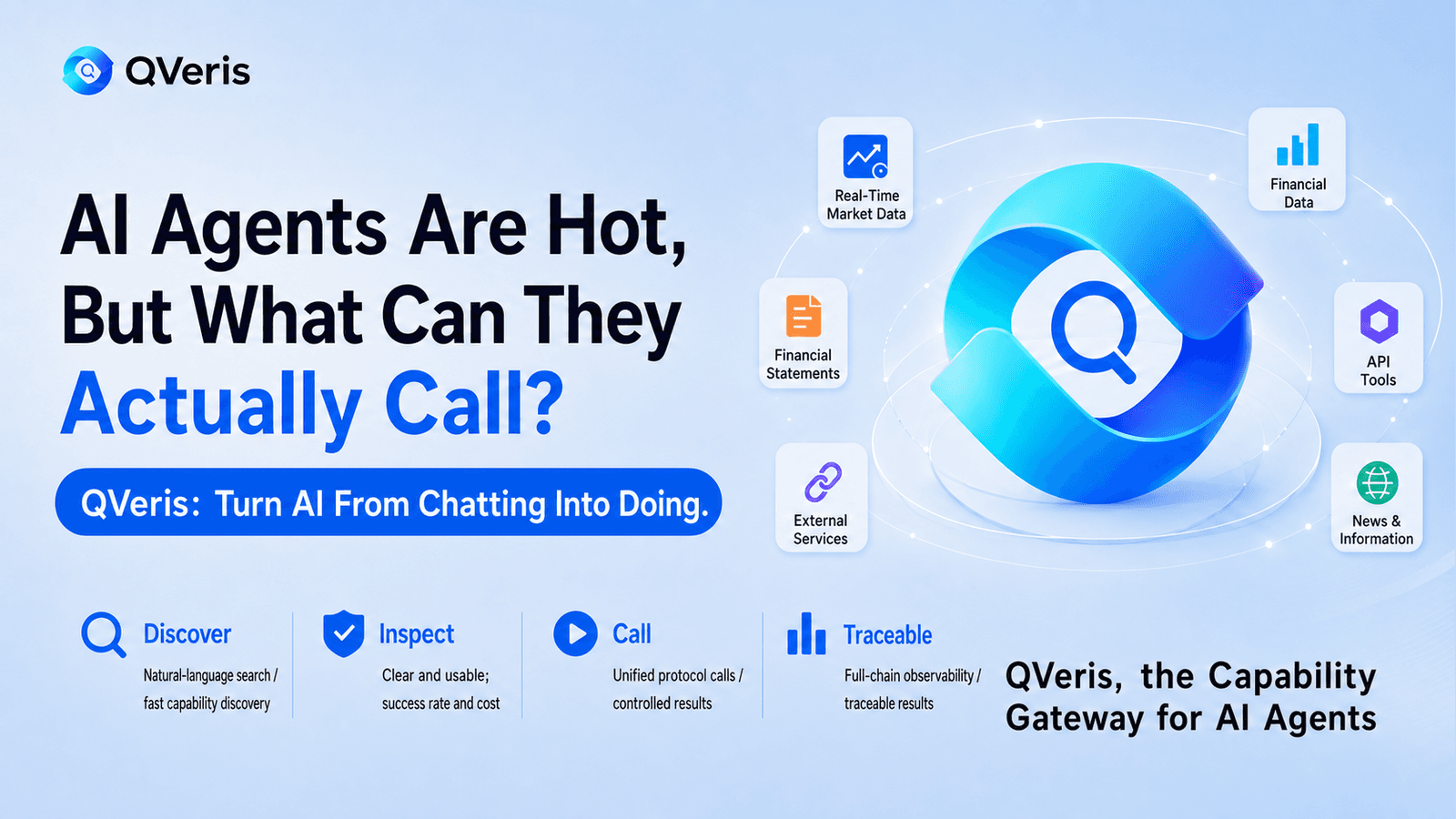
QVeris is a universal toolbox for AI Agents.
It helps agents find tools, understand tools, and call tools.
QVeris is positioned on its official website as: "Turn the world's capabilities into agents' capabilities." It provides a capability routing network for AI agents, allowing them to discover, inspect, and call real data, tools, and external services.
In simple terms: before, AI could only "talk." After connecting to QVeris, AI can start to "query, choose, call, and act."
What Can QVeris Be Used For?
1. Find capabilities: search first, even if you do not know which tool to use
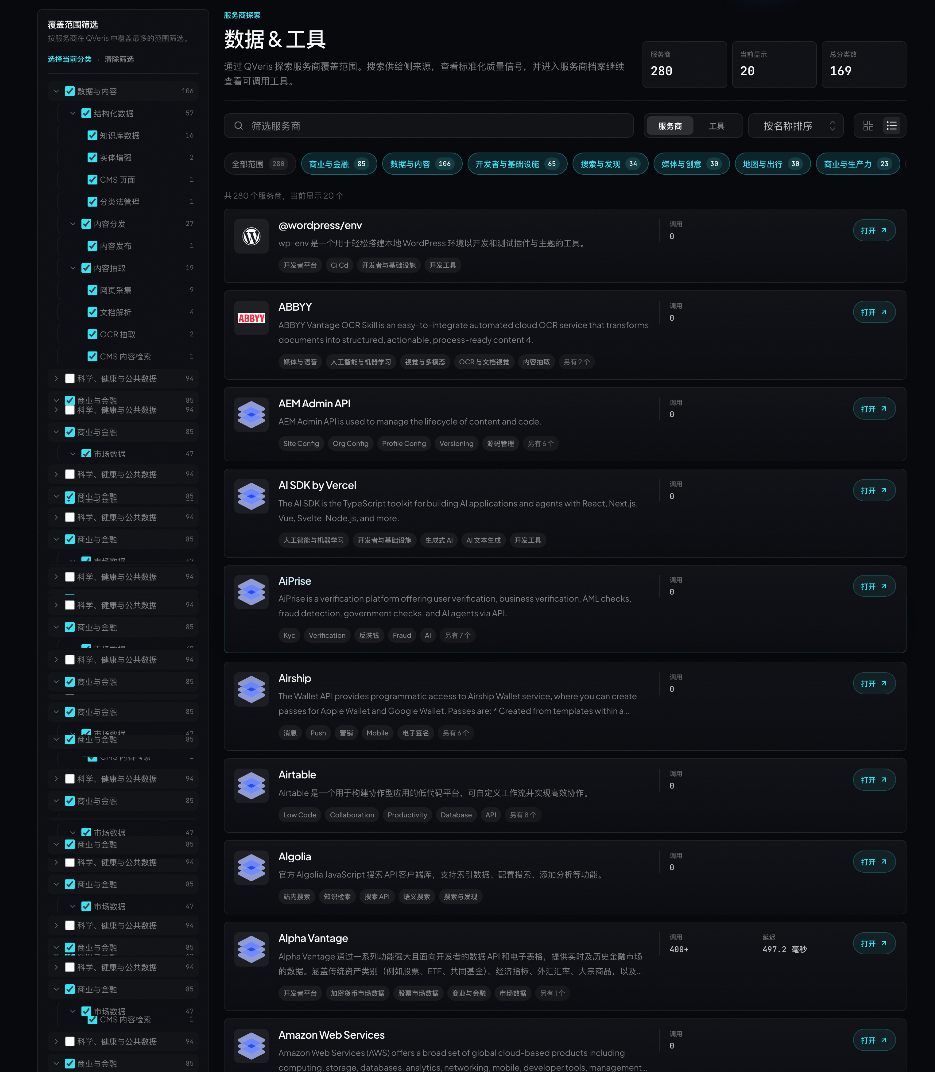
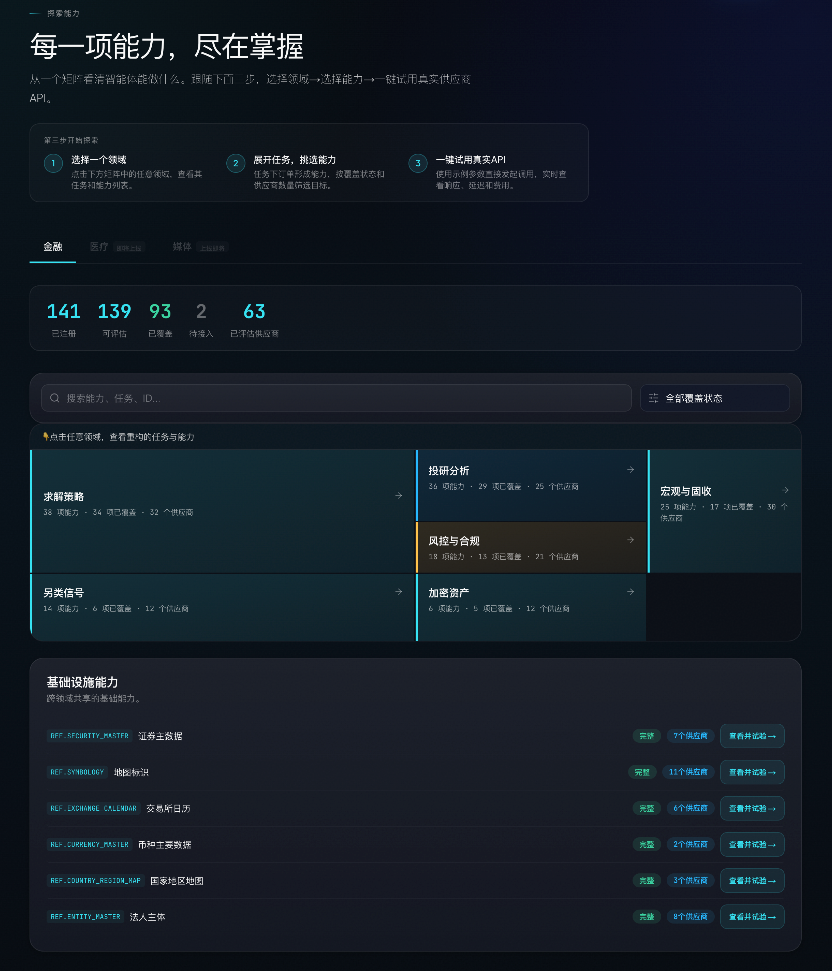
After entering QVeris's capability exploration page, you can browse available capabilities much like browsing a tool marketplace.
For example: financial data | stock quotes | financial statement data | macro data | on-chain data | weather queries | news information | travel data | company information | API tools
You do not need to know the name of a specific API from the beginning. As long as you know what you want to accomplish, you can start by searching for the relevant capability.
For example: "I want to check stock quotes." "I want to perform investment research analysis." "I want to connect real-time data to an Agent." "I want to find a financial tool that AI can call."
This step answers the question: What can AI actually call?
2. View providers: understand who provides the capability
After finding a capability, you can continue to view the provider behind it.
This step matters. Even when the category is the same, such as "financial data," different providers vary in data coverage, stability, cost, and suitable use cases.
The QVeris provider center helps users understand: who provides this capability; what scenarios it fits; what data it can query; roughly how much it costs to call; and whether it is suitable for integration into their own Agent.
This step answers the question: Do not just find any tool. Find the more suitable tool.
3. Call tools: not just displayed, but actually callable
QVeris is not just a tool showcase page.
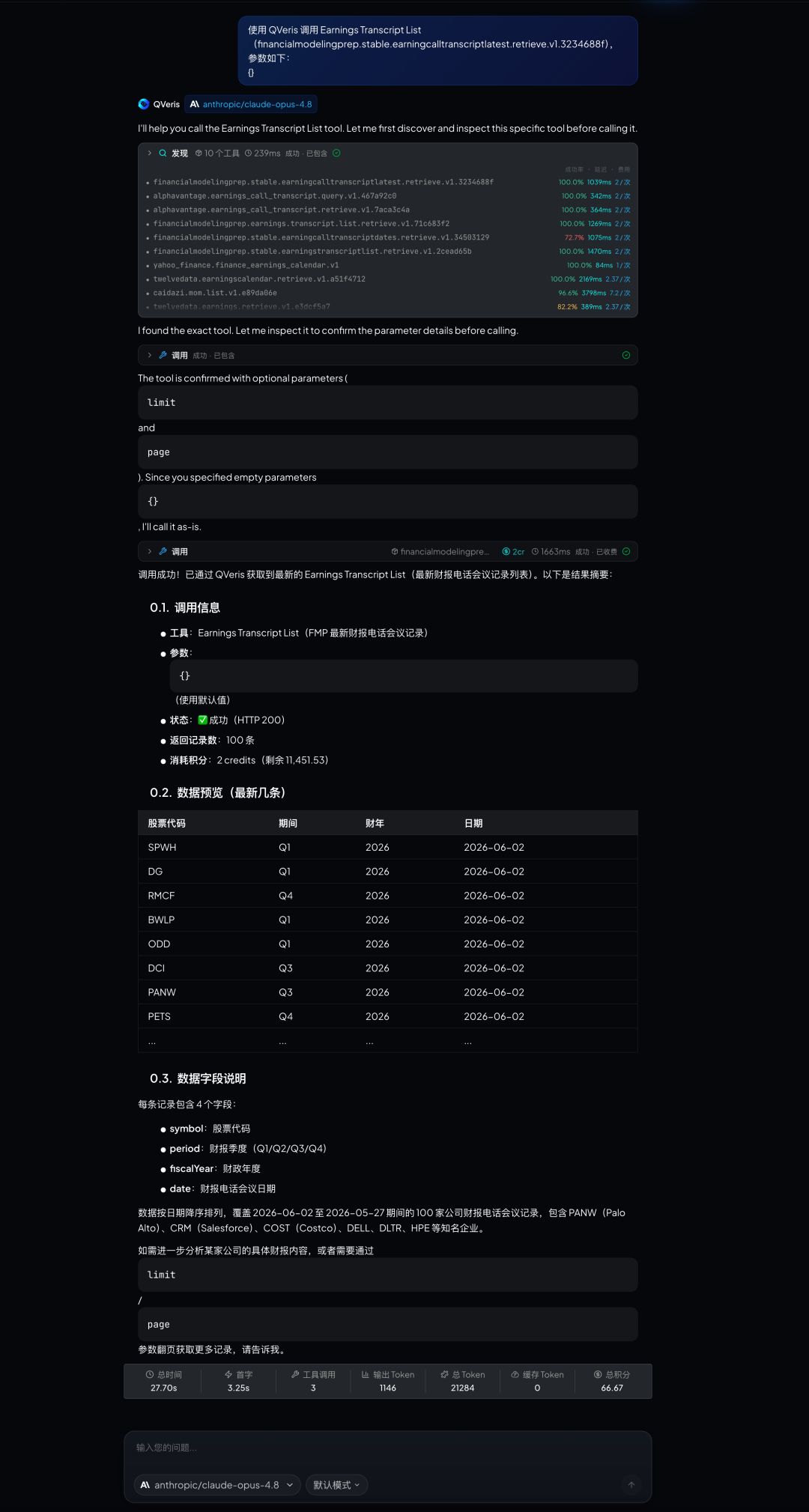
Its core workflow is: discover capabilities → inspect capabilities → call capabilities
The QVeris documentation also clearly states that clients can use natural language to discover capabilities, inspect parameters and cost signals, and then call the selected capability with structured parameters.
For example, if you want an Agent to query an AAPL stock quote, it can first find the stock quote capability, then review the required parameters, and finally make the actual call and return the result.
This step answers the question: AI does not just know a tool exists. It can actually use it.
4. Integrate as a developer: let your own Agent use these capabilities
If you are a developer, you can also integrate QVeris into your own agent, application, or workflow.
QVeris supports integration through API, Python SDK, CLI, MCP Server, and other methods. The official website also shows that QVeris is compatible with multiple platforms, including Cursor, Claude Code, Claude Desktop, OpenClaw, Codex, VS Code, Windsurf, Replit, and V0.
In simple terms: you can use QVeris as a capability gateway, allowing your own AI Agent to call more external tools and data through it.
A More Concrete Example
Suppose you want to build a "financial analysis assistant."
You want it to: check stock quotes; read company financial reports; analyze valuation metrics; track market news; organize investment views; and produce structured analysis reports.
Without QVeris, you might need to find data sources one by one, integrate APIs one by one, and handle parameters and return formats one by one.
With QVeris, you can first find financial capabilities in the capability map, then enter the provider center to view the relevant providers, and finally integrate those capabilities into your Agent through tool calls.
This way, AI is no longer just "answering financial questions." It can actually query data, call tools, and perform analysis.
Who Is QVeris For?
**
**
If you are a general user: You can think of it as an AI tool capability platform, where you can see what real-world capabilities AI can now call.
If you work in product or operations: You can use it to understand which business scenarios Agents can support, such as financial analysis, data queries, content generation, market research, and enterprise services.
If you are a developer: You can integrate it into your own Agent, giving AI the ability to call real tools and data sources.
If you are an enterprise team: You can use it to reduce the cost of connecting external tools and data sources, helping Agents enter real business workflows faster.
Summary
The real value of an AI Agent is not that it is "better at chatting," but that it can "actually do things."
It needs to: find tools; understand tools; choose providers; call APIs; and retrieve real results.
What QVeris does is connect these capabilities.
QVeris is the capability gateway for AI Agents. It turns AI from something that can chat into an agent that can query data, call tools, and complete tasks.
Try it now:
Mainland China site: https://qveris.cn/
International site: https://qveris.ai/