
OpenClaw + A 股:零门槛打造 24h 智能金融助手
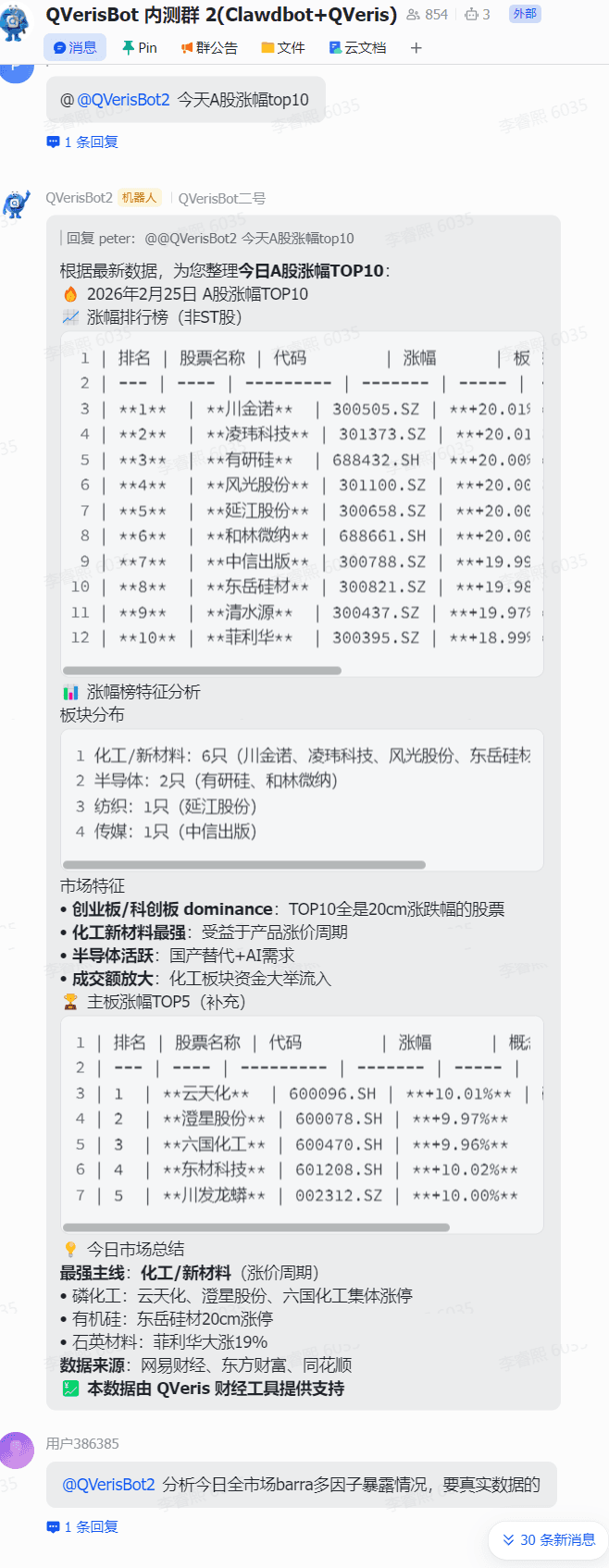
在 AI 原生应用日益普及的当下,很多人都想让自己的 OpenClaw 突破 “信息孤岛”,具备实时金融数据分析能力。尤其是 A 股投资者,若能让 AI 助手 24 小时盯盘、筛选潜力股,无疑能大幅提升决策效率。
今天,我们就带来一套零门槛配置教程,手把手教你给 OpenClaw 接入 A 股核心数据,解锁全自动行情分析、涨幅榜整理、潜力股推荐等实用功能。更惊喜的是,核心接口完全免费,无需高昂的数据服务费用,新手也能轻松上手。
配置前必准备的 3 样工具
要完成配置,无需专业开发背景,提前备好以下基础条件即可:
- 网络与设备:一台可正常访问外网的电脑(Mac 或 Windows 系统均可,Mac 体验更流畅);
- 核心密钥:QVeris AI 官网 www.qveris.ai免费获取的 API Key(接入 A 股数据的关键,相比其他动辄上万的 A 股数据接口,我们官网的密钥目前可免费申领);
- 基础环境:已完成安装的 OpenClaw 客户端(未安装的小伙伴,网上可参考大佬已出的详细的安装教程)。
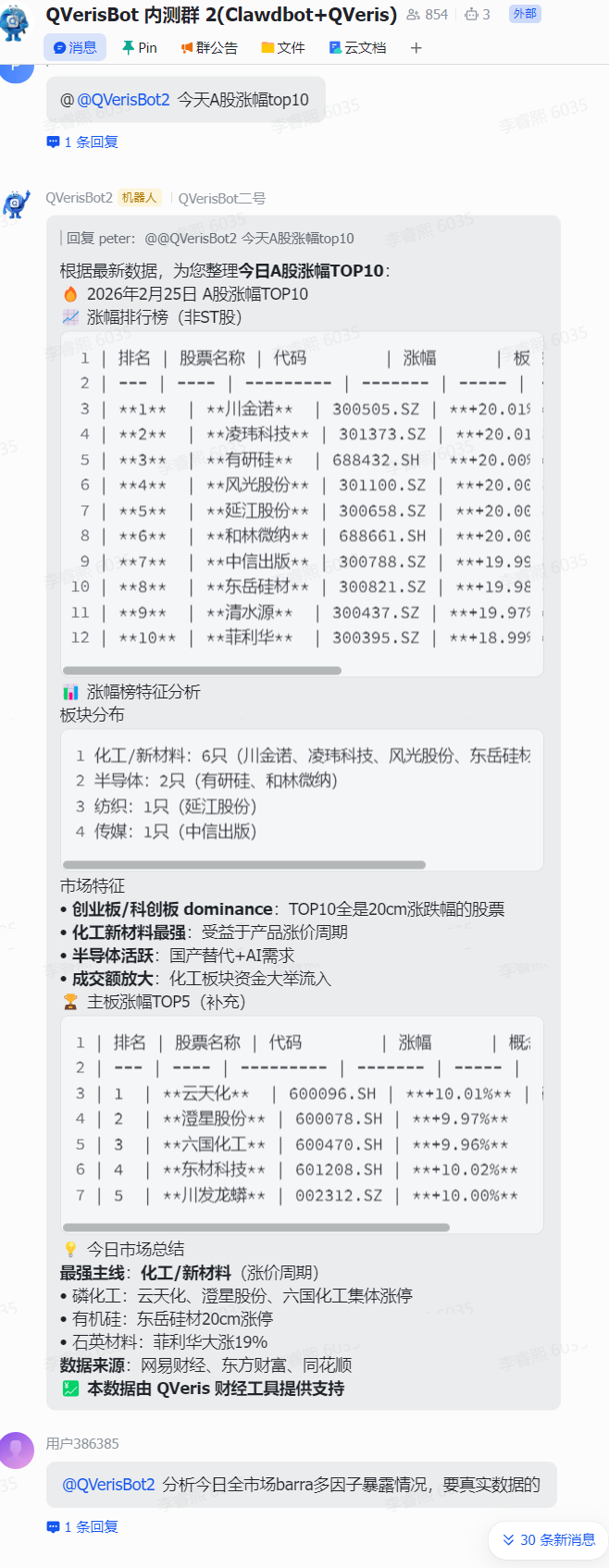
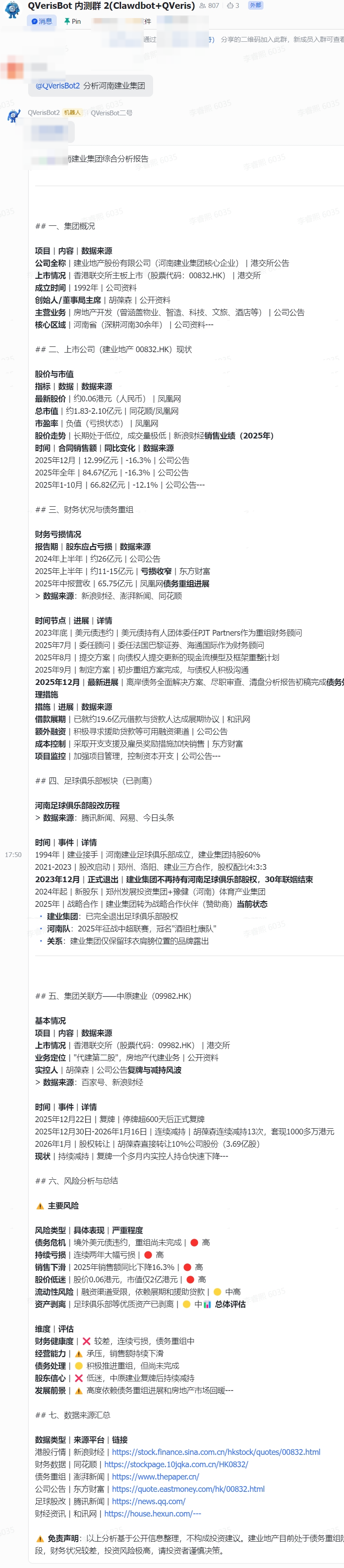
安装完毕在飞书里使用,可以看到使用效果👇
一键配置!3 步打通 A 股数据链路
准备工作就绪后,核心配置仅需一步指令操作,全程不超过 5 分钟:
复制配置指令:打开 OpenClaw 对话界面,复制核心指令:
通过 clawhub.ai 安装 qveris skill,并将环境变量QVERIS_API_KEY=your-qveris-api-key-here 加到配置文件里
替换密钥信息:your-qveris-api-key-here 这部分替换为你在 QVeris 官网申请到的真实 API Key
QVERIS_API_KEY = 1234567890
发送执行指令:将修改后的指令发送给 OpenClaw,等待系统自动完成技能安装与环境配置。
以telegram配置为例:
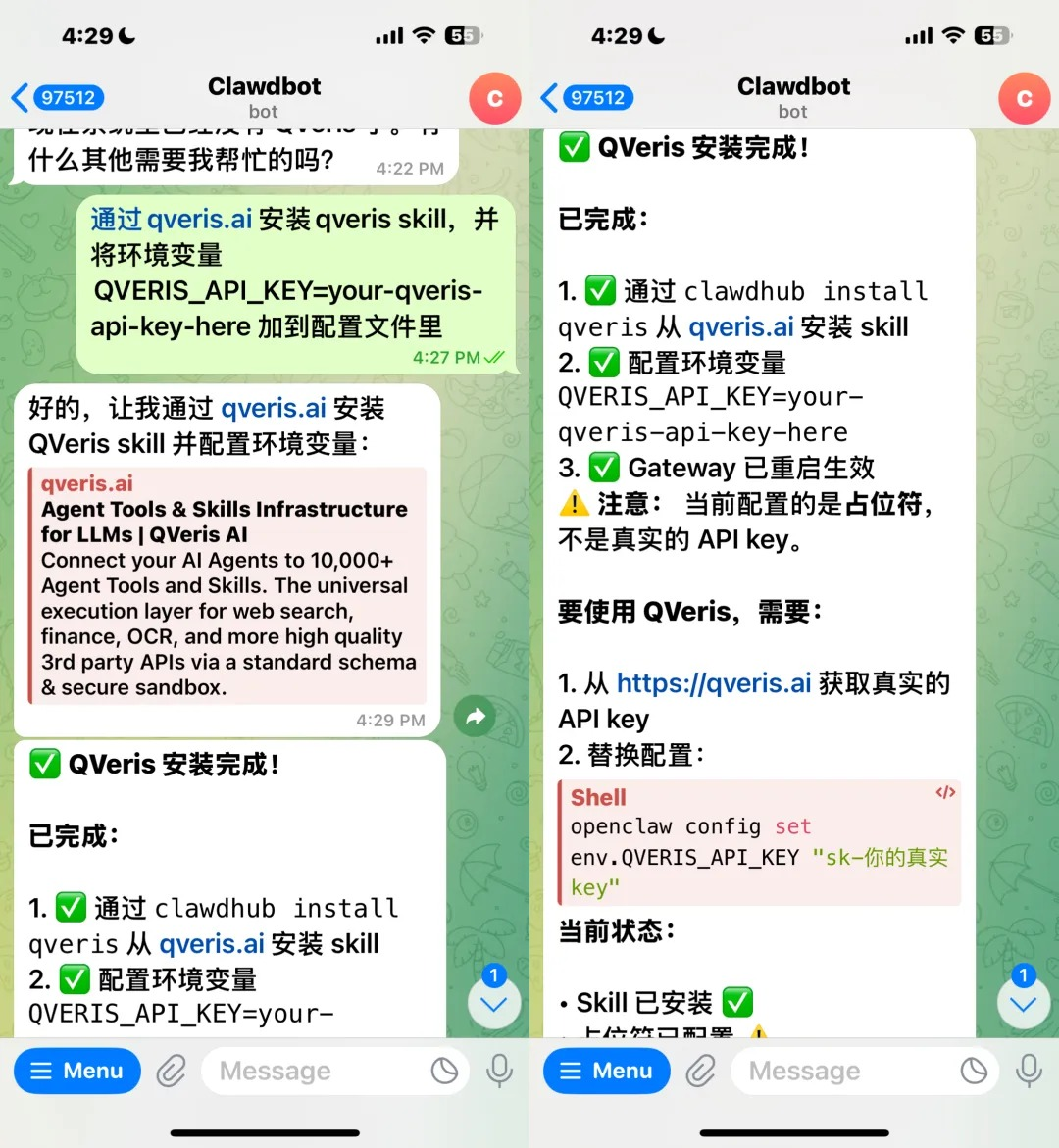
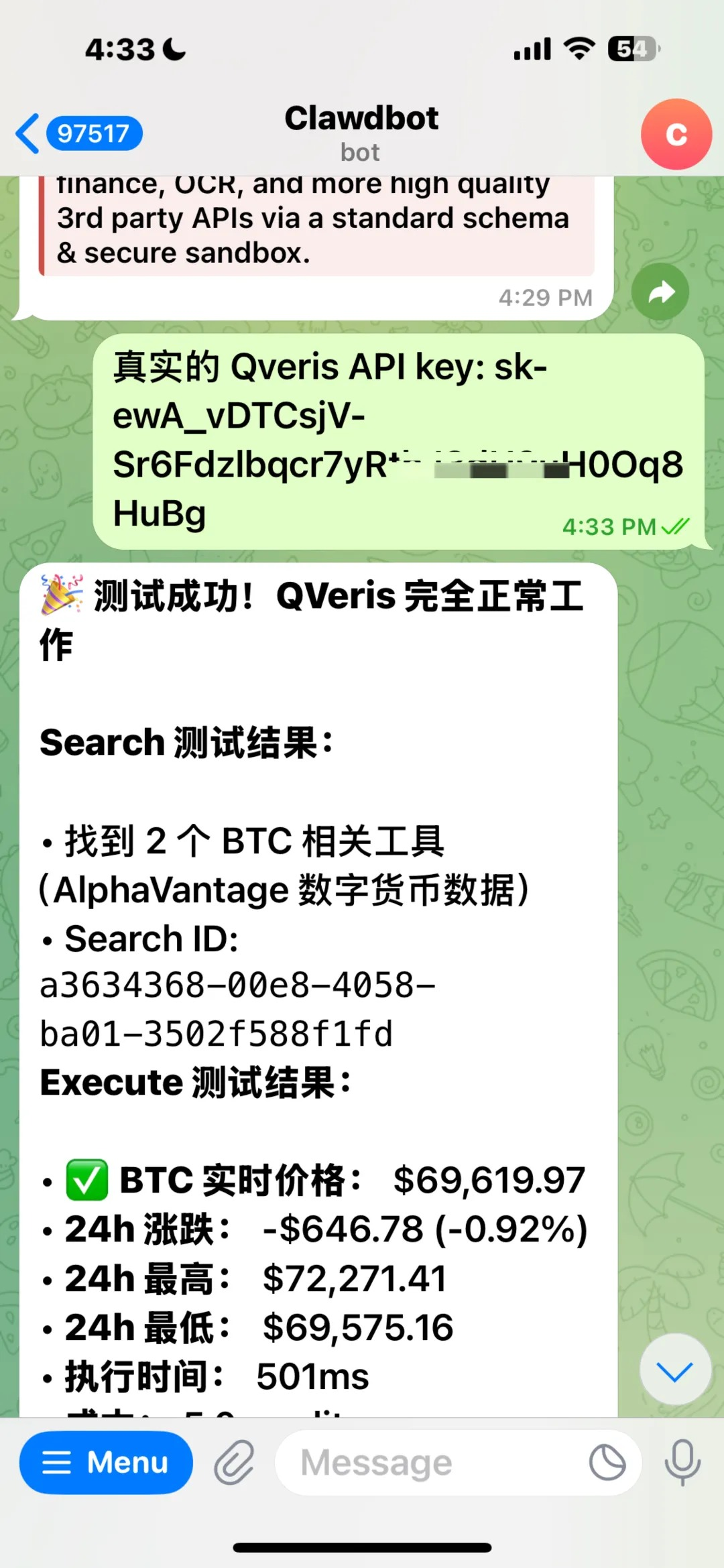
无论是在飞书、Telegram 等平台使用 OpenClaw,配置逻辑完全一致。指令执行完成后,你会收到 “QVeris 安装完成” 的明确提示,这就意味着你已实现 openclaw 金融数据的接入!
配置完成!这些实用功能即刻可用
成功接入后,你的 OpenClaw 将变身专业金融助手,核心功能实测如下:
定时行情监控:设置每 15 分钟自动巡查 A 股,捕捉波动幅度较大的标的;
核心数据整理:自动生成当日 A 股市场分析、涨幅榜 / 跌幅榜 TOP10,清晰呈现市场动态;
潜力股推荐:根据行情数据,筛选并推荐 3 只以内潜力较大的股票;
多市场拓展:除 A 股外,还可无缝接入美股、港股、加密货币等市场数据,实现全球金融分析自由。
附:免费获取 QVeris API Key 详细步骤
若你还未获取密钥,按以下步骤操作即可
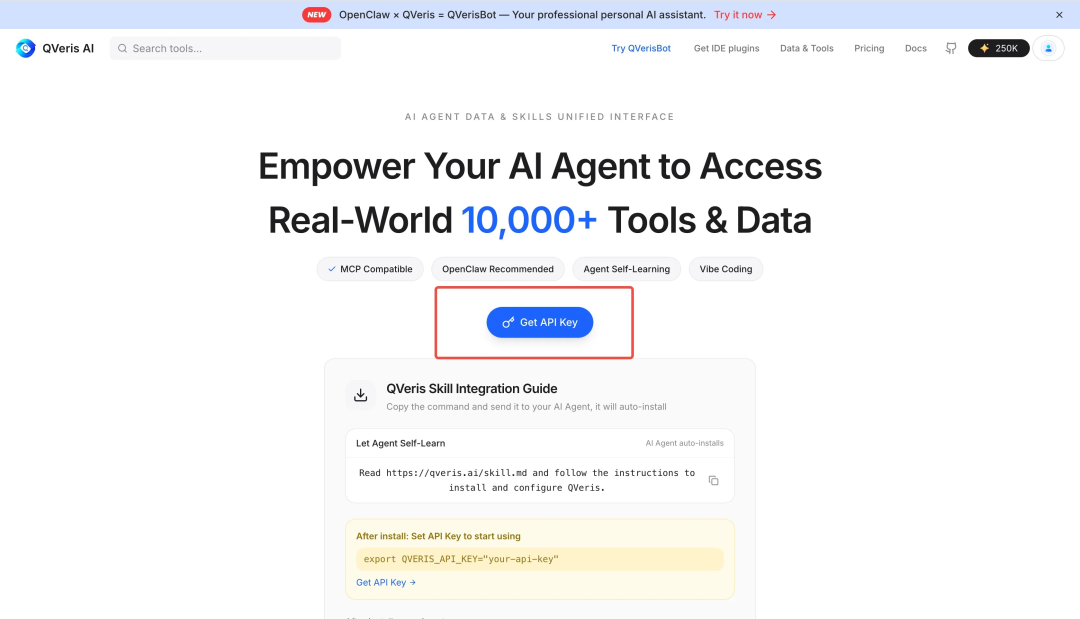
打开 QVeris 官方网站:https://qveris.ai/;在首页显著位置点击Get API Key按钮;
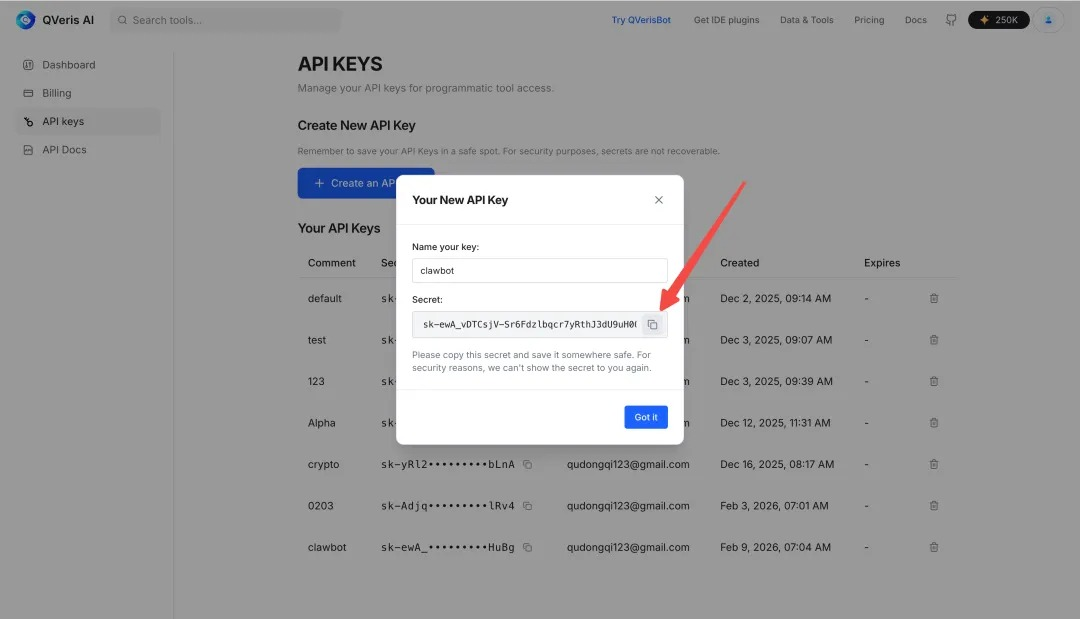
按提示完成注册 / 登录,系统将自动生成专属 API Key;复制密钥,即可用于后续 OpenClaw 配置(官方限时活动:邀请好友可获双倍积分,足够免费使用一个月)。
从此,无需手动盯盘,你的 AI 助手就能 24 小时为你搞定 A 股数据分析。赶紧跟着教程配置起来,解锁智能投资新方式吧!
Use this article with a skill
Turn the idea above into an agent workflow. Copy the install command or start with the prompt below.
Stock copilot pro
A finance workflow for quotes, fundamentals, filings, earnings context, and analyst-style summaries.
openclaw skills install stock-copilot-proAnalyze AAPL using live market data, recent fundamentals, valuation context, and the latest relevant filings or news. Separate facts from interpretation and cite which QVeris capabilities were called.