
Stop Asking Users to Paste API Keys into AI Agents: Connect to QVeris Securely with OAuth
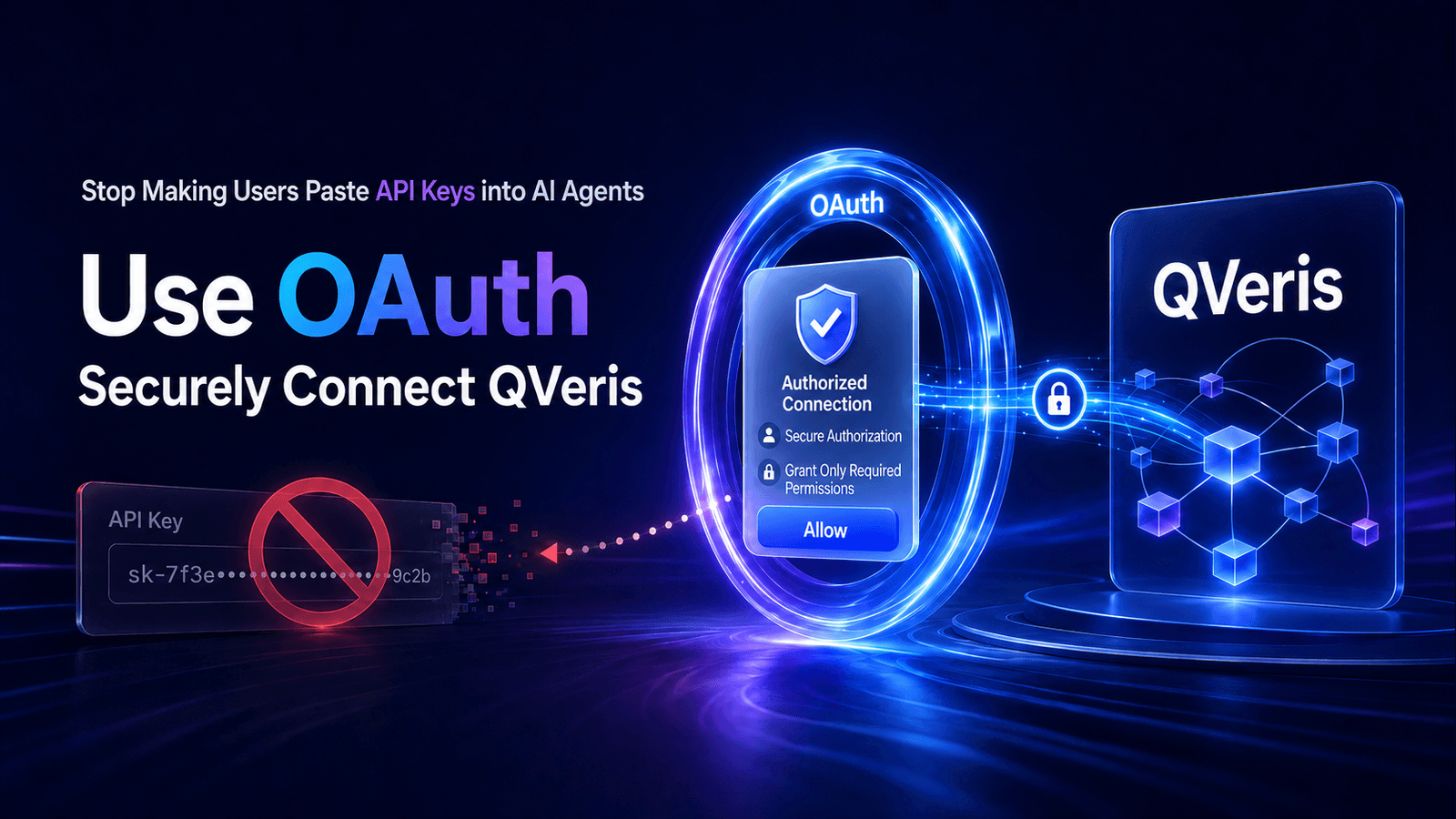
The first integration pattern for many agent products is straightforward: ask the user to create an API key, then paste it into a config file, an environment variable, or a chat window. It is fast to build, but it hands a long-lived credential to an increasingly complex runtime environment.
When an agent runs in the cloud, CI, a remote development machine, or a third-party platform, a leaked API key creates hard questions: who used it, what permissions did it carry, when does it expire, and how can access be revoked for just one application?
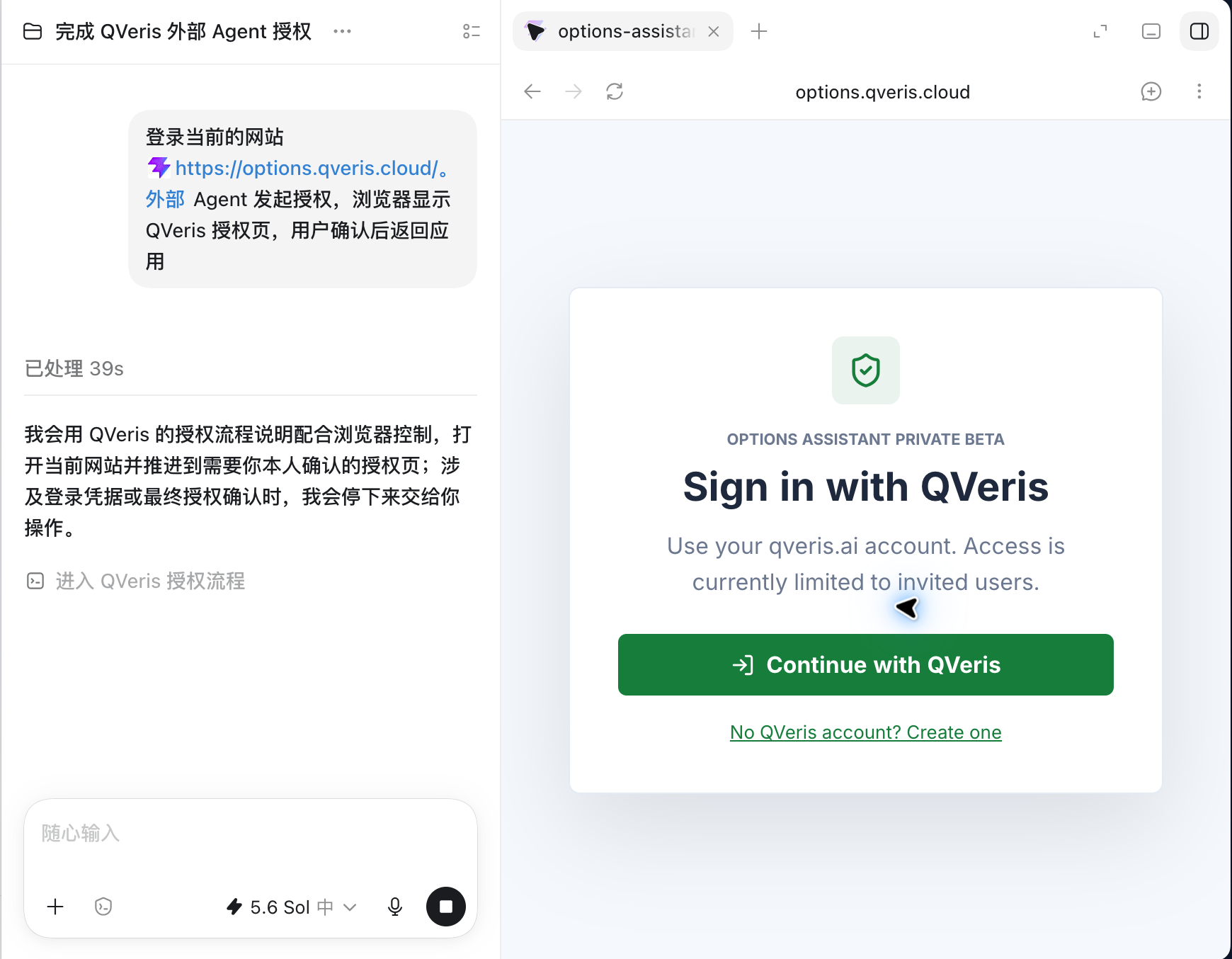
A more mature approach is to let the user confirm the application, permissions, and access boundary on a QVeris authorization page. The application then receives an Access Token for a specific Resource Server. The user does not need to give the agent their QVeris API key, and the application does not need to hold the user's account credentials on their behalf.
API Keys and OAuth Solve Different Problems
API keys are well suited to scripts and server-side jobs that users control themselves. They are simple, stable, and easy to automate. But when you are building an agent product for other users, an API key collapses user identity, application identity, permission scope, and revocation boundaries into one long-lived credential.
OAuth separates those concerns. The user signs in to QVeris in the browser. The application uses a registered client ID. The Access Token is bound to a specific resource and scope. When a longer session is needed, the application uses a refreshable and revocable Refresh Token. The application receives only the capabilities the user explicitly approved, not broad access to the user's entire account.
| Question | Direct API Key Usage | OAuth Authorization |
|---|---|---|
| How does the user authorize? | Copy and paste a long-lived credential | Confirm the application and permissions on QVeris |
| Application permissions | Usually inherit the API key's permissions | Precisely limited by resource and scope |
| Credential lifecycle | Until deleted or rotated | Short-lived Access Token + refreshable Refresh Token |
| Revocation boundary | May affect every task using that key | Can revoke one application's authorized session |
| Best fit | User-owned scripts and backend services | Agent and integration products built for other users |
QVeris OAuth Capabilities Available Today
QVeris currently supports Authorization Code Flow, S256 PKCE, Refresh Token rotation, token revocation, UserInfo, JWKS, and standard Discovery metadata. Applications can retrieve the current endpoints through Discovery instead of copying a set of URLs into client code and hoping they never change.
curl https://qveris.ai/.well-known/oauth-authorization-server
The current Discovery response publishes the authorization endpoint, token endpoint, revocation endpoint, userinfo endpoint, JWKS, supported grant types, S256 PKCE support, and the tool permissions that can be requested. Integration code should treat Discovery as the source of truth.
Applicability boundary. The current production capability is designed for confidential clients, with the token endpoint using client_secret_basic. It fits agent products with a trusted backend and internal CLIs controlled by an organization. Do not put a client secret in a browser SPA, a mobile app, or a publicly distributed binary. For public desktop apps or headless CLIs that cannot safely hold a secret, wait for a dedicated public-client authorization model to be formally released.
Tutorial: Connect an Agent Service to QVeris OAuth
Step 1: Register the Application and Minimum Permissions
Before integration, the application needs a client ID, client secret, an exactly registered redirect URI, allowed resources, and allowed scopes. Development and production should use separate clients. Do not share secrets or callback URLs across environments.
If the agent only needs to discover and inspect tools, request only:
tools.search tools.inspect
Add this only when the product truly needs to execute real tool calls:
tools.execute
Request offline_access only when the application needs to keep a session after the user leaves. The requested scope must be a subset of the scopes registered for the client; the application cannot expand permissions through frontend parameters.
Step 2: Generate a PKCE Verifier and Challenge
PKCE binds the browser authorization request to the later code exchange. Generate a new random verifier for every authorization attempt and store it safely before redirecting the user.
import crypto from "node:crypto";

const codeVerifier = crypto.randomBytes(32).toString("base64url");
const codeChallenge = crypto
  .createHash("sha256")
  .update(codeVerifier)
  .digest("base64url");

const state = crypto.randomBytes(24).toString("base64url");
const nonce = crypto.randomBytes(24).toString("base64url");
Use state to prevent authorization responses from being substituted. Use nonce to correlate identity tokens. Both values should be bound to the current login session and given short expiration windows.
Step 3: Redirect the User to the Authorization Page
The application builds the request from the authorization endpoint returned by Discovery. The following example requests tool search and inspection permissions:
https://qveris.ai/oauth/authorize?
response_type=code&
client_id=YOUR_CLIENT_ID&
redirect_uri=https%3A%2F%2Fagent.example.com%2Foauth%2Fcallback&
scope=tools.search%20tools.inspect%20offline_access&
resource=YOUR_REGISTERED_TOOL_RESOURCE&
code_challenge=YOUR_CODE_CHALLENGE&
code_challenge_method=S256&
state=YOUR_STATE&
nonce=YOUR_NONCE
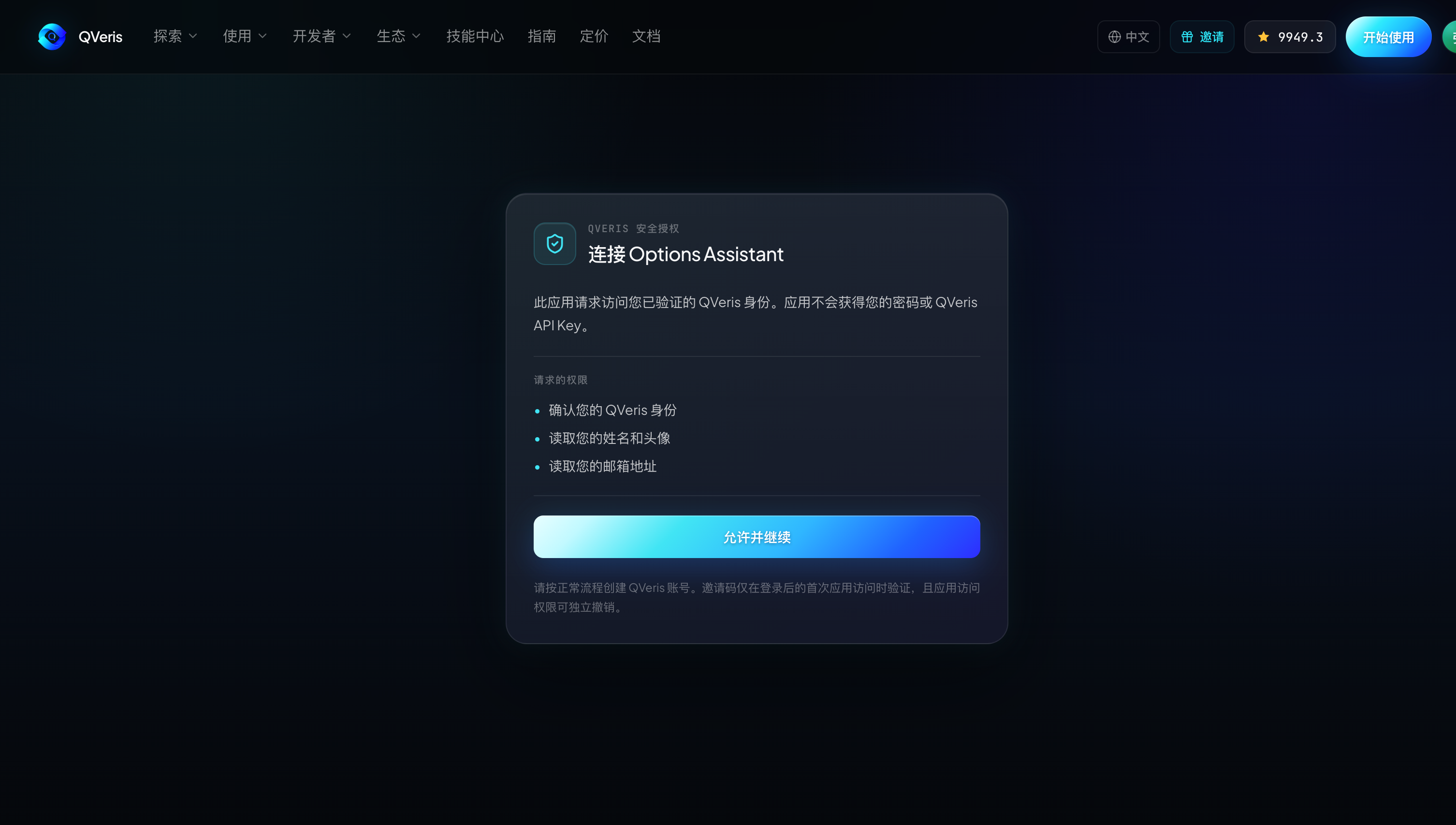
After signing in, the user sees the application identity, requested permissions, and related notices. The application must not click consent on the user's behalf, and it should not simulate a QVeris password prompt inside its own UI.
Step 4: Validate the Callback and Exchange the Token
When the callback receives code and state, first use a constant-time comparison to confirm that state matches the session. Then call the token endpoint from a trusted backend. The client secret lives only on the backend and is never returned to the browser.
curl -u "$CLIENT_ID:$CLIENT_SECRET" \
  -X POST https://qveris.ai/oauth/token \
  -H "Content-Type: application/x-www-form-urlencoded" \
  --data-urlencode "grant_type=authorization_code" \
  --data-urlencode "code=$AUTHORIZATION_CODE" \
  --data-urlencode "redirect_uri=$REDIRECT_URI" \
  --data-urlencode "code_verifier=$CODE_VERIFIER" \
  --data-urlencode "resource=$TOOL_RESOURCE"
The Authorization Code is short-lived and single-use. If code exchange is repeated, the redirect URI does not match, PKCE verification fails, or client authentication fails, stop the flow. Do not silently fall back to an API key.
Step 5: Use the Right Token for the Right Resource
After receiving a Tool Access Token, the agent can call QVeris tool APIs within the granted scope. For example, a token with only tools.search can discover capabilities, but it cannot execute tools.
curl -X POST https://qveris.ai/api/v1/search \
  -H "Authorization: Bearer $ACCESS_TOKEN" \
  -H "Content-Type: application/json" \
  -d '{"query":"real-time market data for NVIDIA"}'
The Access Token audience must exactly match the target Resource Server. An ID Token proves the user's identity to the OAuth Client and must not be sent to the tool API. An Account Token also cannot replace a Tool Token for Search or Call operations.
Step 6: Rotate Refresh Tokens Safely
When the application receives offline_access, it can use a Refresh Token to obtain new Access Tokens. QVeris rotates the Refresh Token on each refresh, so the application must encrypt the current value on the server and atomically replace the old value after a successful refresh.
curl -u "$CLIENT_ID:$CLIENT_SECRET" \
  -X POST https://qveris.ai/oauth/token \
  -H "Content-Type: application/x-www-form-urlencoded" \
  --data-urlencode "grant_type=refresh_token" \
  --data-urlencode "refresh_token=$CURRENT_REFRESH_TOKEN" \
  --data-urlencode "resource=$TOOL_RESOURCE"
If a Refresh Token that has already been rotated appears again, the client should treat it as a possible replay or concurrency error and terminate that authorization session instead of continuing to retry.
Step 7: Revoke Actively on Sign-Out
When the user signs out of the agent, disconnects QVeris, or an administrator terminates the integration, the application should call the revocation endpoint published by Discovery and clear the local session.
curl -u "$CLIENT_ID:$CLIENT_SECRET" \
  -X POST https://qveris.ai/oauth/revoke \
  -H "Content-Type: application/x-www-form-urlencoded" \
  --data-urlencode "token=$CURRENT_REFRESH_TOKEN" \
  --data-urlencode "token_type_hint=refresh_token"
The revocation endpoint can be treated as idempotent: even if the token has already expired or has already been revoked, the client can still complete its local sign-out flow safely.
A Concrete Agent Permission Design
Assume you are building a repository risk analysis agent. It needs to look up external service status and developer data, but by default it should not execute paid capabilities.
For the initial authorization, request only tools.search and tools.inspect. The agent can discover candidate capabilities, inspect parameters, compare costs, and generate an execution plan for the user. Because it does not have tools.execute, even a prompt injection that tries to make it call a tool directly will fail at the server-side permission check.
If the product truly needs automatic execution, configure tools.execute only for clients that have passed a risk review. The application should still apply its own policy layer to restrict tool categories, per-call spend, and human confirmation conditions. OAuth scope is the server-side floor, not a replacement for the application's own task policy.
Security Checklist Before Launch
- Read endpoints from Discovery instead of copying OAuth URLs in multiple places.
- Generate a fresh
state,nonce, and PKCE verifier for every authorization attempt. - Use exact redirect URI matching; do not accept wildcards or user-supplied return URLs.
- Store the client secret and Refresh Token only on a trusted backend, with encryption and access auditing.
- Validate the token issuer, audience, expiration, scope, and signature, not just the client ID.
- Atomically replace the Refresh Token after a successful refresh, and close the entire authorization session on replay.
- Call the revocation endpoint during sign-out or disconnect, then delete the local session.
Conclusion
Giving agents external capabilities does not mean handing them the user's long-lived credentials. The value of OAuth is not the extra browser redirect; it is the ability to turn users, applications, resources, permissions, and credential lifecycles into independently controlled security boundaries.
For agent products built for customers, teams, or partners, this is one of the critical steps from demo to production: users know who they authorized, applications know what they are allowed to do, and the platform can enforce clear permission and revocation policies without exposing API keys.
If you are building an agent product that needs QVeris tool search, inspection, or execution, start with OAuth Discovery and contact QVeris to complete client registration and permission configuration.