
QVeris Launches the Agent Capability Map
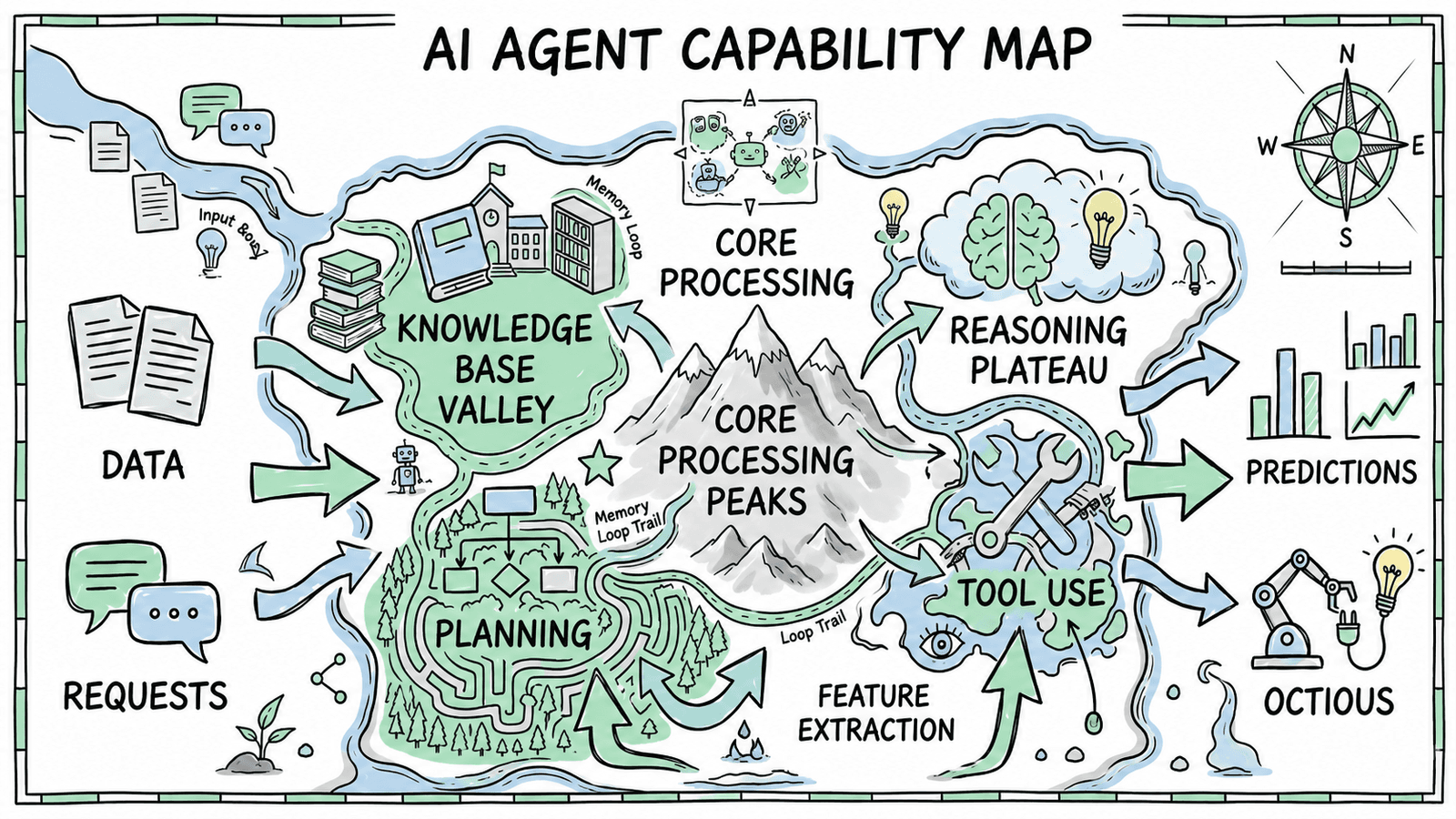

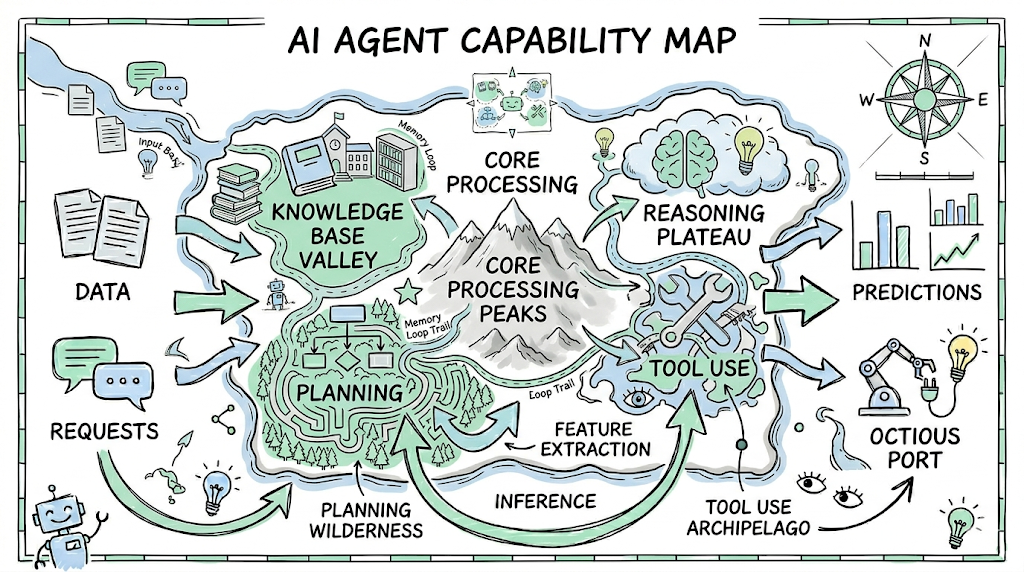
Agents are evolving from “conversation tools” into “action engines.” But one critical question still has no good answer: how does an agent know what it can do?
Today, we are launching Capability Explorer: an interactive capability map that lets developers and agents browse, inspect, compare, and test every real, verified capability in the QVeris network in real time.
👉 Try it now: qveris.ai/capabilities/explore
01. Why Capability Explorer Is Needed
A traditional API directory is just a list. You search for a keyword, get a set of endpoints, then spend hours reading documentation, debugging parameters, and comparing providers.
For AI agents, this process is even more painful. They cannot “browse documentation”; they can only rely on API lists that developers have hard-coded in advance. The result:
-
🔒 Capabilities are locked inside configuration files — agents can only call the few APIs developers prepared ahead of time
-
🤷 No awareness of new capabilities — even if the QVeris network adds 50 new data sources, the agent does not know
-
💸 No way to make quality and cost decisions — if one capability has three providers, which one should it choose? What is the success rate? What is the latency? How much does it cost?
Capability Explorer solves these problems. It turns the entire QVeris capability network into a browsable, searchable, testable interactive map.
02. Feature Overview
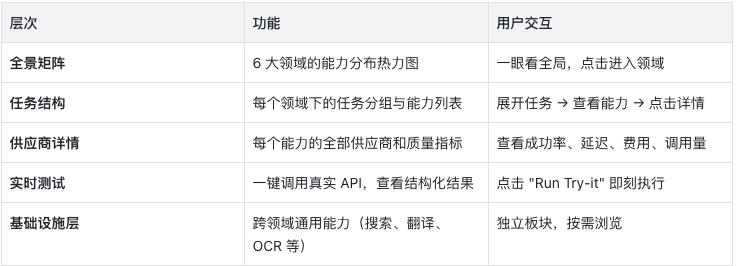
Capability Explorer is built around five layers, covering the full journey of how agents discover and use capabilities:
03. Financial Capability Map
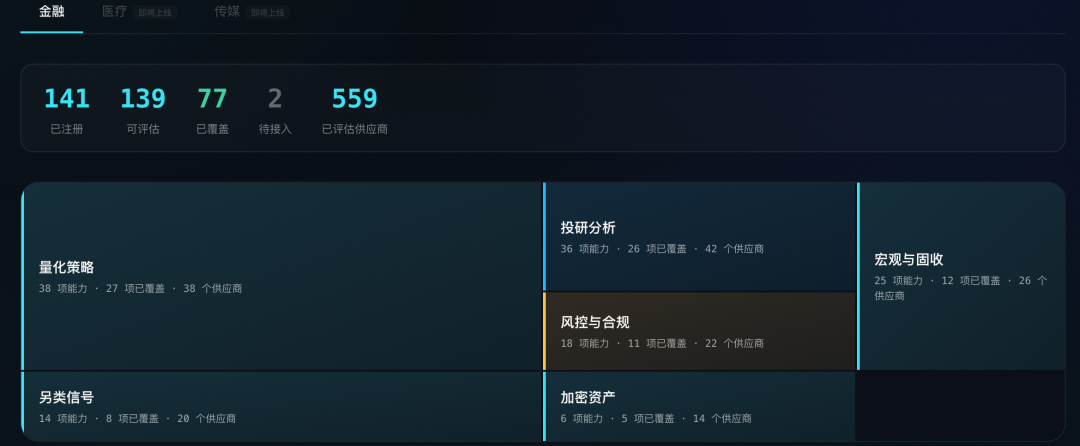
Finance: 6 Domains, 138 Capabilities, Complete Coverage
The first release of Capability Explorer focuses on finance, the most mature vertical in the QVeris capability network.
📊 Financial Capabilities at a Glance
-
141 registered capabilities
-
80+ covered capabilities with active providers
-
Full coverage across 6 major domains
-
Each capability includes quality signals such as success rate, latency, and estimated cost
The six domains:
🔷 Systematic Trading
Backtesting engines, order management, execution algorithms, and strategy simulation. These capabilities provide the foundation for quantitative teams to build automated trading pipelines.
🔵 Market Data
Real-time quotes, historical candlesticks, corporate actions, and index constituents. Coverage spans multiple markets including U.S. stocks, Hong Kong stocks, and A-shares.
🟡 Risk & Compliance
VaR calculation, stress testing, regulatory checks, and AML screening. Built to support the compliance requirements of financial institutions.
🔷 Investment Research
Fundamental analysis, financial statement data, analyst ratings, and earnings forecasts. These capabilities give agents professional investment research skills.
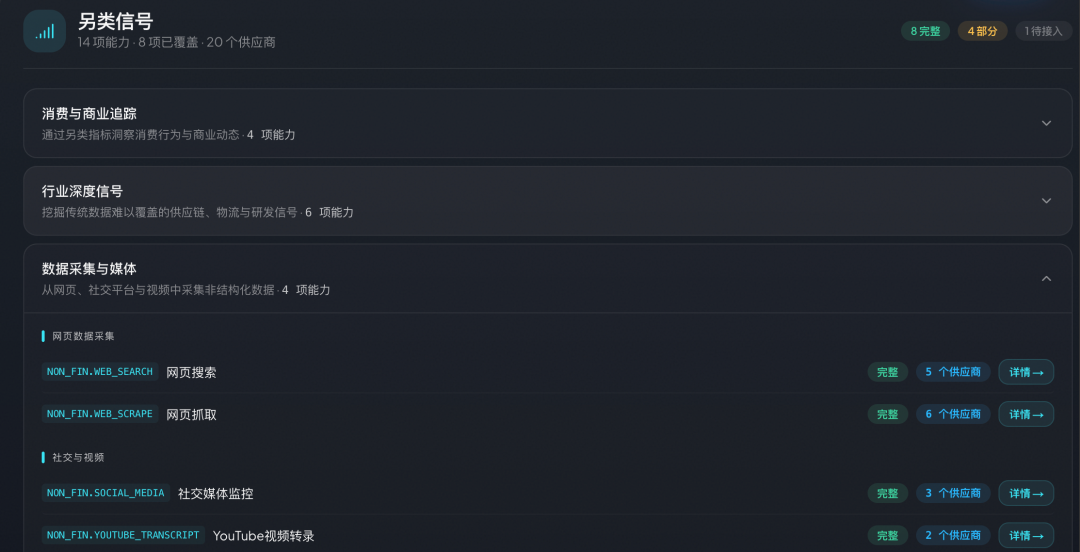
🟢 Alternative Signals
Public opinion analysis, satellite data, web crawling, and social media sentiment. These capabilities provide alpha signals beyond traditional data.
🟣 Crypto & Digital Assets
Spot and derivatives data, on-chain analytics, DeFi TVL, and token metrics. Coverage for Web3 data needs.
04. Quality Signals
Quality Signals: Helping Agents Make Smarter Choices
Each provider is more than a Tool ID. Capability Explorer presents a complete quality profile:
✅ Success Rate — the percentage of successful historical calls, color-coded:
-
🟢 ≥ 95% — reliable
-
🟡 80-95% — usable
-
🔴 < 80% — needs attention
⚡ Average Latency — typical execution time, with millisecond-level precision
💰 Estimated Cost — credits consumed per call, from 1 to 100 credits based on data value
📈 Call Volume — total historical calls, the most direct evidence that a provider has been validated
🏆 Provider Tier — FULL / GOOD / PARTIAL, reflecting implementation completeness
💡 Why does this matter?
When the same capability has three providers, your agent can automatically choose based on quality signals: prioritize the highest success rate, the lowest latency, or the lowest cost. This is not an API directory. It is a decision dashboard for capability routing.
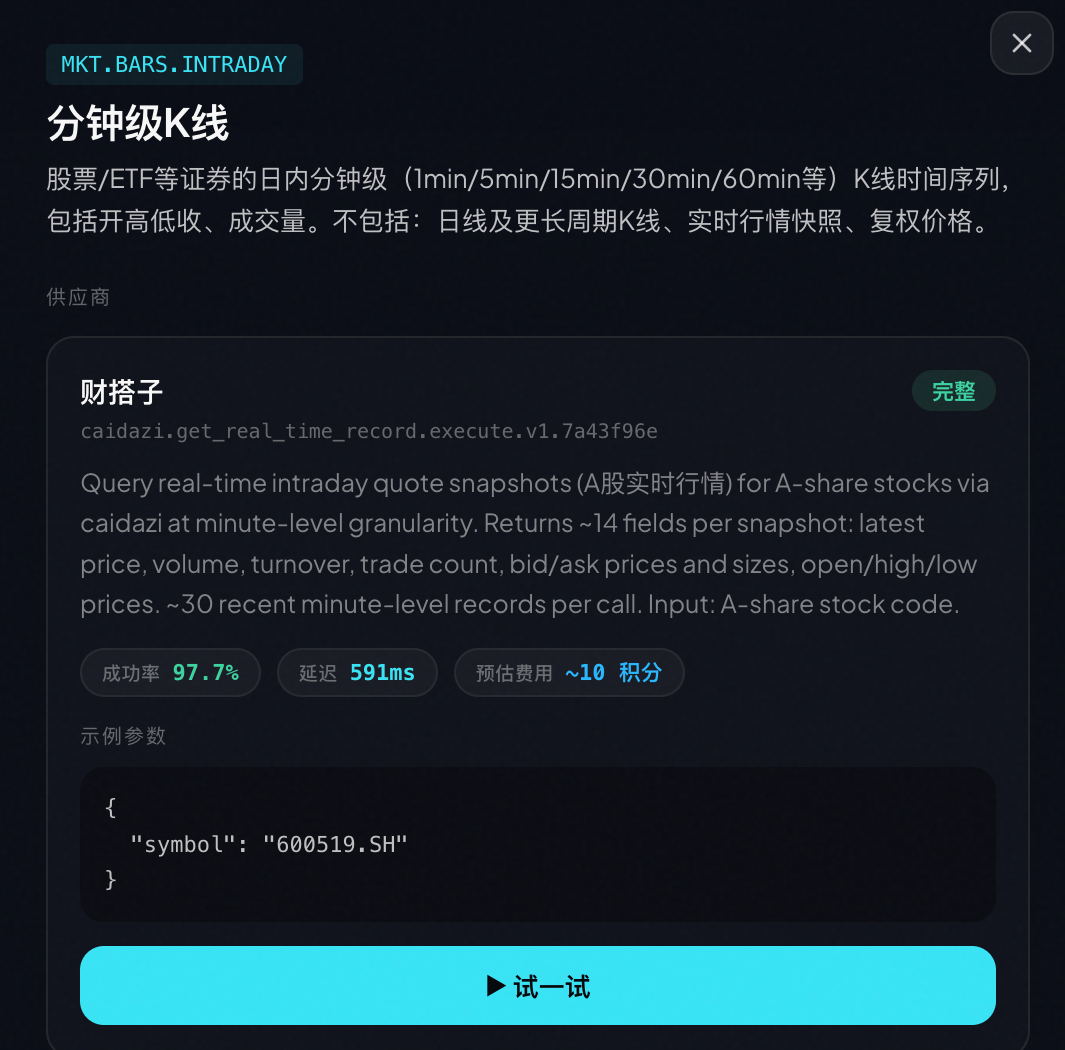
05. One-Click Testing
Try-it: One-Click Testing, Real Results
After browsing capabilities and comparing providers, you can run real API calls directly inside Capability Explorer.
At the bottom of every provider card, there is a “▶ Run Try-it” button. After you click it:
-
Use prefilled sample parameters, or customize them
-
Call the real provider API
-
Execute in a sandbox environment
-
Return structured JSON results
// Example: calling a real-time stock quote API{ "symbol": "AAPL", "price": 192.53, "change": 2.15, "volume": 54382100, "timestamp": "2026-04-10T15:30:00Z"}
This is not simulated data. It is a real, verified capability running live.
06. How Developers Use It
Developer Integration: From Browsing to Code
Once you find the capability you want in Capability Explorer, integrating it into your agent takes just one step.
Via QVeris CLI (recommended):
# Discover capabilitiesqveris discover "real-time stock price API" --json# Inspect provider detailsqveris inspect 1 --json# Callqveris call 1 --params '{"symbol":"AAPL"}' --json
Via MCP Server (IDE integration):
npx @qverisai/mcp
Via Python SDK:
from qveris import QVerisClientclient = QVerisClient(api_key="your-key")results = client.search("stock price API", limit=5)response = client.execute_tool( tool_id="polygon.stocks.eod.v2", parameters={"symbol": "AAPL"})
07. Roadmap
Roadmap: Finance Is Only the Beginning
Capability Explorer currently covers 138 capabilities in finance. Next, we will expand into:
-
🏥 Healthcare — clinical trial data, drug information, and medical literature retrieval
-
🎬 Media Content — image/video generation, text-to-speech, and content moderation
Both domains are already previewed in Explorer with a “SOON” label.
08. Try It Now
🚀 Open Capability Explorer Now
-
🌐 Global: qveris.ai/capabilities/explore
-
🇨🇳 China: qveris.cn/capabilities/explore
-
📖 Docs: qveris.ai/docs
-
💻 GitHub: github.com/QVerisAI/QVerisAI
Sign up and receive 1,000 credits. Discover and Inspect are always free.