
What is the QVeris model gateway?
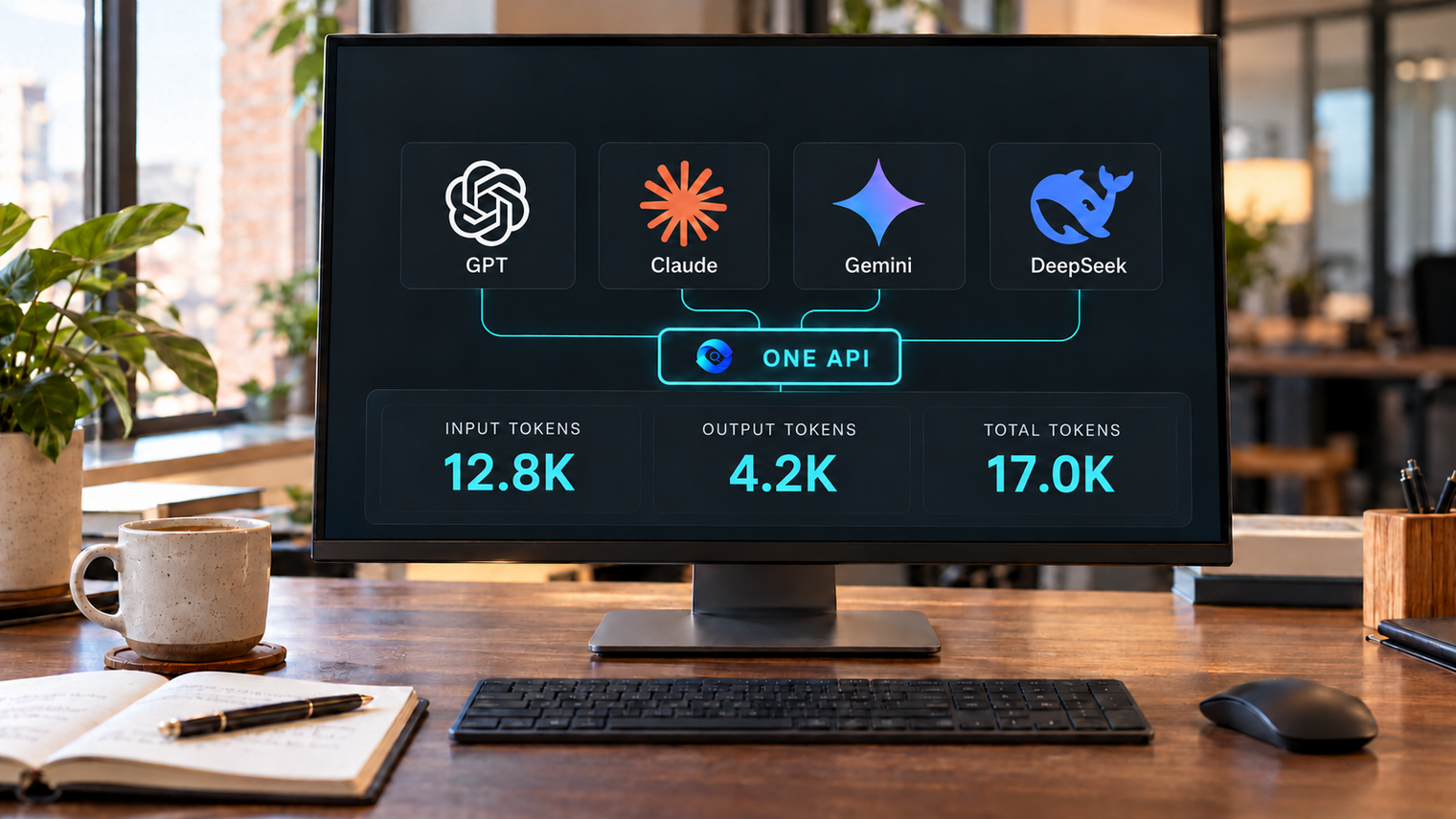
The QVeris model gateway is a unified access layer for models from multiple providers. It offers an OpenAI-compatible API, authentication with a QVeris API key and usage-based Credits billing. This gives applications a shared way to access supported GPT, Claude, Gemini, DeepSeek and Kimi models.
To try models online, browse the model catalog for versions, capabilities and prices, then start a task in Playground or QVerisLab. These QVeris workspaces bring model selection and task execution together, reducing the need to search for a separate entry point whenever you want to try another model.
For developers, the gateway provides one Base URL and QVeris API key to configure. Choose a valid model ID to use another supported model while retaining common client code. Check each model’s capabilities and parameters when switching, so the integration fits the writing, coding or research task you want to run.
The gateway connects model capabilities to your application. When a task also needs external documents or business data, configure a QVeris data-tool workflow to retrieve the material and pass it to the model for analysis.
Fewer entry points to manage, a shorter path to useful work
When the question is “Where can I try GPT, Claude or Kimi?”, a unified platform removes much of the search and setup overhead. When the question becomes “Can it do my work?”, model access needs to connect to relevant inputs, tools and a visible cost trail.
| Common friction | What you do in QVeris | What this gives you |
|---|---|---|
| Different sites and model menus | Browse models and start in the same Playground | Less time searching for a place to try each model |
| Repeated API configuration | Use a shared Base URL and QVeris key | Keep common client code while selecting eligible model IDs |
| Useful data lives outside the chat | Connect the professional tools needed for the task | Ground research in retrieved material and source links |
| Costs are hard to compare | Read Credits prices, usage and billing records | Evaluate the cost of a representative workload |
You can also connect QVeris to an AI tool you already use. Model access and data-tool access are separate integration choices: adopt the parts that solve your current problem.
How to use the model catalog: find models and compare capabilities and prices
Start with the QVeris model catalog when you want to find a suitable model before trying it or writing an API request. The page brings model discovery, capability filters, price comparison and links to the next step together. Follow these five steps to build a shortlist for your task.
1. Search for a model or provider
Use the “Search models or providers” field to find a model family or a specific version. For example, searching Kimi K3.1 showed Kimi K3.1 Pro and Kimi K3.1 Pro Highspeed when checked on October 25, 2026. Read the model ID below each name to distinguish versions; you can also narrow the list with the provider filter.
2. Filter by task requirements, then sort
| Page control | How to use it |
|---|---|
| Provider | Narrow to a provider such as openai, anthropic, google or moonshot. |
| Model capability | Choose chat, JSON, reasoning, streaming, tool calling or vision to match a required capability. |
| Input format | Choose image, text or video according to the material you need to submit. |
| Minimum context tokens | Set the minimum context window you need, allowing room for both the input and the generated reply. |
| Maximum input price | Set an input-rate ceiling in Credits per million tokens. Output and other chargeable items still need to be checked. |
For an image-understanding task with a limited input budget, try vision, image input, a minimum context of 128000, and a maximum input price of 100. Then sort by input price from low to high. For tasks that generate long answers, use output-price sorting; for large documents, use context from largest to smallest. The page also offers sorting by model name.
The maximum input price filters a unit rate, not the total cost of a request. Cards show the first input-length pricing tier; check the detail page for longer-input tiers. If no model matches, broaden the filters one at a time to identify the limiting requirement.
3. How to compare models: select candidates and read the comparison table
The comparison table appears only after you select a model. Find “Add to comparison” at the bottom of each model card. The “Selected model comparison” table then appears below the search field and sorting controls, above the model list. It is not a separate comparison page.
- Open the model catalog and search for
Kimi K3.1to find Pro and Pro Highspeed. You can also compare candidates from different providers. - Select “Add to comparison” at the bottom of each candidate’s card. Choose two models for an initial comparison, or up to three at once.
- Return to the area below the search and sort controls to read “Selected model comparison”. Each model has its own column. Use the remove control beside a model name to replace it, or “Clear comparison” to start again.
| What to compare | Where to look | How to interpret it |
|---|---|---|
| Task capabilities | Provider and model-capability rows | Check that required features such as vision, reasoning or tool calling are listed; confirm input formats and API operations in the detail page. |
| Context capacity | Context tokens row | Allow room for both input material and generated output. A larger context window does not by itself establish better answer quality. |
| Model prices | Input, output and cache-hit input rows | Compare Credits per million tokens across all three rates. Long answers depend more on output cost; cache rates apply only to cache hits. Check the complete input-length tiers in the detail page. |
| Answer quality and response time | Run a representative task in a workspace | Use the same prompt, input material and comparable settings for each model. Compare correctness, completeness, elapsed time and recorded cost; the catalog table does not provide measured performance rankings. |
For example, Kimi K3.1 Pro and Kimi K3.1 Pro Highspeed listed the same context window and capability badges at this check. Highspeed’s input and output rates were approximately twice Pro’s, while their cache-hit input rates matched. That identifies a price difference; use the same real task to evaluate whether the observed speed and output quality justify it for your workflow.
This catalog compares models available through QVeris. For a total-cost comparison, enter the same input, output and cache-hit volumes into each candidate’s cost estimator, then check actual usage after testing. Comparing QVeris with OpenRouter or a model provider’s official API is a separate exercise covered later under pricing and gateway comparisons.
4. Open the details and estimate a request’s cost
Click a model name to open its detail page. The navigation links lead to Overview, Pricing, Capabilities and Sources. Review the complete pricing rules, then check the context window, maximum output, input/output types and supported API operations under capabilities. The available service channels are also listed on the page.
Use “Single-call cost estimate” to enter total input, output and cache-hit input tokens. For example, enter 10000, 1000 and 4000 respectively to see the estimated Credits. The 4,000 cached tokens are already included in the 10,000 total input tokens. This is a reference estimate; actual usage and the price effective when the request starts determine the charge. Use Credits and top-up pricing to understand the currency cost of your Credits.
5. Continue in Playground or connect the API
After comparing candidates, open Playground from a model detail page, select your chosen model and evaluate it with your own task. For financial research involving attachments and follow-up analysis, QVerisLab provides another workspace option. To integrate a model into an application, follow the API integration guide: configure the QVeris key and Base URL, confirm the available ID through GET /v1/models, and use it in the request’s model field.
Which models can you try on QVeris?
On October 25, 2026, the Playground and QVerisLab model menus each displayed 59 matching entries across 13 model families. These include model versions and speed variants. The public catalog listed 60 entries; Muse Spark 1.3 appeared in the catalog but not in either observed menu.
| Model family | Entries | Representative models |
|---|---|---|
| OpenAI GPT | 9 | GPT-6.1 Sol · GPT-6 Astra · GPT-6 Luna |
| Anthropic Claude | 9 | Claude Sonnet 5.5 · Claude Opus 5.5 · Claude Haiku 5.5 |
| Google Gemini | 5 | Gemini 4 Argon · Gemini 3.8 Flash · Gemini 2.5 Pro |
| DeepSeek | 4 | DeepSeek V4 Pro · DeepSeek V4 Flash · DeepSeek V4.1 Flash |
| Moonshot Kimi | 8 | Kimi K3.1 Pro · Kimi K3.1 Pro Highspeed · Kimi K3 |
| Alibaba Qwen | 7 | Qwen 3.8 Max Prime · Qwen 3.8 Flash · Qwen 3.8 27B |
| Zhipu GLM | 5 | GLM 5.3 Prime · GLM 5.3 Flash · GLM 5.3 FlashX |
| xAI Grok | 2 | Grok 4.7 · Grok 4.20 |
| Xiaomi MiMo | 4 | MiMo V2.6 Pro · MiMo V2.6 Flash · MiMo V2.6 Pro Ultraspeed |
| MiniMax | 2 | MiniMax M3 · MiniMax M3.1 Flash |
| Tencent Hunyuan | 1 | Hunyuan HY4 Preview |
| StepFun | 1 | Step 5 Preview |
| Volcengine Doubao | 2 | Doubao Seed 2.0 Lite · Doubao Seed 2.0 Mini |
Use the live model catalog to filter capabilities, input formats, context and prices. A model appearing in a menu is an entry point, not a guarantee that every native feature is available. For API use, the authenticated GET /v1/models response is the source of valid public IDs.
View all 59 observed model IDs
Anthropic Claude
claude-fable-5 claude-fable-5-1 claude-haiku-5-5 claude-opus-5 claude-opus-5-5 claude-opus-5-fast claude-sonnet-4-5 claude-sonnet-5 claude-sonnet-5-5
DeepSeek
deepseek-flash deepseek-v4-flash deepseek-v4-pro deepseek-v4.1-flash-1017
Google Gemini
gemini-2.5-pro gemini-3.6-flash gemini-3.7-flash gemini-3.8-flash gemini-4-argon
Zhipu GLM
glm-5.1 glm-5.2 glm-5.3-flash glm-5.3-flashx glm-5.3-prime
OpenAI GPT
gpt-4o gpt-4o-mini gpt-5.6-luna gpt-5.6-sol gpt-5.6-sol-pro gpt-5.6-terra gpt-6-astra gpt-6-luna gpt-6.1-sol
xAI Grok
grok-4.20 grok-4.7
Tencent Hunyuan
hy4-preview
Moonshot Kimi
kimi-k2.5 kimi-k2.6 kimi-k2.7-code kimi-k2.7-code-highspeed kimi-k2.8-preview kimi-k3 kimi-k3.1-pro kimi-k3.1-pro-highspeed
Xiaomi MiMo
mimo-v2.5-pro mimo-v2.6-flash mimo-v2.6-pro mimo-v2.6-pro-ultraspeed
MiniMax
minimax-m3 minimax-m3.1-flash
Alibaba Qwen
qwen-3.6-flash qwen-3.7-max qwen-3.7-plus qwen-3.8-2.4t-a95b qwen-3.8-27b qwen-3.8-flash qwen-3.8-max-prime
StepFun
step-5-preview
Volcengine Doubao
volcengine/doubao-seed-2.0-lite volcengine/doubao-seed-2.0-mini
From the model catalog to Playground, QVerisLab or API
| Entry point | Use cases | What it offers |
|---|---|---|
| Model catalog | Model selection by capability, context and budget | Review model details and compare capabilities and prices in one place |
| Playground | Copywriting, information organization and coding assistance | Try different models in one workspace and evaluate them on real tasks |
| QVerisLab · Beta | Financial reports, company comparisons and macroeconomic research | Develop research with attachments, conversation history and analysis modes |
| Model gateway API | Application integration and business workflows | Access multiple supported models through a unified interface |
QVeris brings model discovery, online experimentation and application integration into one platform. Start by comparing capabilities and costs, then use real tasks to assess answer quality, response time and usage. This gives you a practical basis for choosing a model without repeatedly searching for another service or setting up a separate workspace.
For financial research, attachments, conversation history and analysis modes support an ongoing process of reviewing reports, comparing companies and examining macroeconomic questions. Developers can take a model workflow that has proved useful and connect it to an application through the unified API, reducing repeated integration work across providers.
From writing and code to research with sources
Writing, explanation and code review
Bring a product brief, a paragraph or a small code example. Ask a model to organize the material, explain trade-offs or identify likely errors. Try the same input with another model and compare factual coverage, clarity and usefulness. This is a practical way to choose a model for your task without relying only on a leaderboard.
Long documents and follow-up analysis
For document work, define what to extract before asking for a summary: decisions, assumptions, unanswered questions or changes between versions. QVerisLab’s attachment entry and conversation history can support a continuing research process, within the formats and limits currently offered. Ask for evidence locations so you can return to the original material.
Business research using professional data tools
A financial research task needs published reports and consistent reporting periods, not just fluent prose. Through DataSinking on QVeris, a configured workflow can locate filings and read relevant sections, then ask the model to explain operating changes. See the filing retrieval and section-reading guide for the data path.
A useful output is a compact table of the fact, reporting period, unit and source, followed by the model’s interpretation. Keep missing data visible. For a closer look at one model’s research workflow, read the Kimi K3.1 Pro guide.
How to use the model gateway
Start with a browser task
- Use the model catalog to compare capabilities and prices, then open a candidate’s details to check its limits and estimate the cost.
- Open Playground, sign in and check the available Credits.
- Select a model from the current menu. For attachments or continuing research, consider QVerisLab.
- Describe the goal, input material and output format. Review any available cost information before sending.
- Review the answer, source links and usage. Keep the same input when comparing a second model.
Connect an application through the API
Create a key in Account → API keys and store it in QVERIS_API_KEY. Use https://aigateway.qveris.ai/v1 as the OpenAI-compatible Base URL. First list models so you can choose a valid public ID:
curl -sS https://aigateway.qveris.ai/v1/models \
  -H "Authorization: Bearer $QVERIS_API_KEY"
Set QVERIS_MODEL_ID to a returned ID that supports chat. This Python example uses the standard library and serializes the request as JSON:
import json
import os
from urllib.request import Request, urlopen

payload = {
    "model": os.environ["QVERIS_MODEL_ID"],
    "messages": [{"role": "user", "content": "Explain an AI gateway in three points."}],
    "max_tokens": 256,
}
request = Request(
    "https://aigateway.qveris.ai/v1/chat/completions",
    data=json.dumps(payload).encode("utf-8"),
    headers={
        "Authorization": "Bearer " + os.environ["QVERIS_API_KEY"],
        "Content-Type": "application/json",
    },
)
with urlopen(request, timeout=90) as response:
    result = json.load(response)
    print(result["choices"][0]["message"]["content"])
    print(result.get("qveris_billing", {}))
    print("Call ID:", response.headers.get("X-QVeris-Call-ID"))
The gateway also documents Responses, Anthropic-compatible Messages and embeddings interfaces, subject to each model’s supported operations. For streaming, billing events, error codes and key handling, follow the official gateway documentation. These are documentation-based examples; costs and results depend on the request you run.
QVeris pricing: model rates, Credits and task costs
Read the price in three parts: how you obtain Credits, how the selected model consumes them, and whether the task calls additional tools. The model catalog shows actual Credits rates. The pricing page lists account and top-up options; final terms appear before checkout.
| Option | Published amount | Credits |
|---|---|---|
| Registration trial | $0 | 1,000 once, after verification |
| Pro | $19 | 10,000 |
| Scale | $100 | 52,500 |
| Scale | $500 | 275,000 |
| Scale | $1,000 | 575,000 |
Scale supports top-ups from $1. Paid top-up Credits do not expire; trial, promotional or plan Credits may have their own terms. External AI clients may charge separately for their own subscriptions or model services.
Representative model prices
Snapshot: October 25, 2026. Units are Credits per million tokens. Input means uncached input; cache-hit input is billed separately. A card may show only the first input-length tier, so follow the model link for its complete rules.
| Model | Input | Output | Cache hit |
|---|---|---|---|
| GPT-6.1 Sol | 1,050 | 5,250 | 52.5 |
| Claude Sonnet 5.5 | 1,050 | 5,250 | 52.5 |
| Claude Opus 5.5 | 2,100 | 10,500 | 105 |
| Gemini 4 Argon | 1,050 | 5,250 | 52.5 |
| Kimi K3.1 Pro | 1,015.9275 | 5,314.1025 | 101.5875 |
| Kimi K3.1 Pro Highspeed | 2,031.855 | 10,628.1525 | 101.5875 |
| Qwen 3.8 Flash | 78.75 | 246.75 | 8.4 |
| GLM 5.3 Flash | 57.534247 | 201.369863 | 16.541096 |
| MiMo V2.6 Flash | 73.5 | 147 | 1.47 |
GPT-6.1 Sol lists a second tier starting at 272,000 input tokens: 2,100 input, 7,875 output and 105 cached input Credits per million tokens. DeepSeek entries currently refer readers to request-dependent billing rules; a sample price in an API response example is not a model quotation.
Compare the same model and workload
For Claude Sonnet 5.5, compare the QVeris rate with the official Anthropic standard API and OpenRouter’s Anthropic standard endpoint. The USD conversion depends on how QVeris Credits were obtained.
| Platform / conversion basis | Input / 1M | Output / 1M | Cache read / 1M |
|---|---|---|---|
| QVeris · nominal 500 Credits/USD | $2.10 | $10.50 | $0.105 |
| QVeris · $100 / 52,500 Credits allocation | $2.00 | $10.00 | $0.100 |
| Anthropic · standard API | $2.00 | $10.00 | $0.100 |
| OpenRouter · Anthropic standard endpoint | $2.00 | $10.00 | $0.100 |
For 100,000 uncached input tokens and 5,000 billed output tokens, QVeris uses 131.25 Credits. That is $0.2625 at the documented nominal conversion, or $0.25 when allocated from the $100 / 52,500 Credits top-up. The latter assumes you actually purchase that package and allocate its Credits; it is not the price of a $0.25 top-up.
The official API and the specified OpenRouter endpoint each have a $0.25 model cost for this example. OpenRouter’s pricing page separately lists fees of 5.5% for Standard and 8% for Business, charged on credit purchases rather than individual requests. This example excludes cache writes, tools, taxes, payment fees and any other applicable charges; it is arithmetic, not a measured bill.
For a complete task, calculate uncached input, cached input and billed output under the applicable tier, then add any other chargeable items. Do not count cached input twice. QVeris records billing information for review; the final usage record is the authoritative charge.
QVeris vs OpenRouter, other gateways and direct APIs
QVeris and OpenRouter
OpenRouter offers a broad model catalog, Chat, a unified API and provider-routing controls. QVeris is useful when you want to connect model discovery and browser tasks with professional data tools and a research workspace. The decision is about the workflow you need, not simply the number of models in a list.
Check the actual channel for a model. The GPT-6.1 Sol page currently lists OpenRouter as its available upstream channel, while the Kimi K3.1 Pro page lists Moonshot. This means QVeris and OpenRouter are not necessarily independent routes for every model. The channel listing is not an uptime benchmark.
How other model gateways fit
| Option | What to evaluate | When to consider it |
|---|---|---|
| QVeris | Model access, browser tasks and professional data tools | Try multiple models and connect them to source-based work |
| OpenRouter | Model/provider choice, Chat, routing and fees | Explore a broad model catalog through a shared API |
| Vercel AI Gateway | AI SDK ecosystem, token rates and optional add-ons | Build within a compatible application-development workflow |
| LiteLLM | Proxy configuration, keys, budgets and operating effort | Run and control a gateway with your own team |
| Portkey | Conditional routing, caching, retries, budgets and MCP | Configure production traffic and tool-access policies |
Vercel documents zero markup and no token platform fee, while some optional features and payment processing can add costs. LiteLLM still requires underlying inference and operational resources. Portkey also supports external tools through MCP. Compare those capabilities directly rather than assuming every alternative is just a text proxy.
When a model provider’s official API makes sense
Direct provider access is worth evaluating when you mainly use one family or need a particular native feature. QVeris can reduce repeated setup when you work across models and want a shared path into data tools. Compare the exact model, protocol, input-length tier, caching rules and service channel before moving a production task.
Use the official OpenAI, Anthropic, Gemini and Kimi pricing references. A consumer subscription is a different product from API usage. For a broader selection framework, see OpenRouter alternatives.
Model gateway questions, answered
Is QVeris itself a large language model?
QVeris is a platform for accessing models and professional data tools. Its model gateway provides model interfaces; Playground and QVerisLab provide user-facing workspaces. The selected model supplies reasoning and generation.
Do I need a separate account with every model provider?
For models currently offered through QVeris, use your QVeris account or API key. You still need sufficient Credits and access to the selected model. Using a provider’s separate consumer app or native service may require its own account.
Can I try models for free?
The pricing page lists a one-time grant of 1,000 trial Credits after registration verification. Calls consume Credits under the applicable rules. This is a trial allowance, not unlimited access to every model.
What is the difference between Playground and QVerisLab?
Playground is a direct starting point for model and tool tasks. QVerisLab is a beta workspace with conversation history, attachments and analysis-mode controls. Choose based on the task and the features currently available.
Does every model support images and tools?
No. Check the individual model page for input types, API operations and limits. Vision input does not imply image generation, and a provider’s native feature is not automatically exposed by every gateway.
How do I switch models with one API key?
Keep the QVeris API key and Base URL, query GET /v1/models, and use an eligible returned ID in the model field. Check capability and parameter differences before switching a production workflow.
Is QVeris cheaper than OpenRouter or the official API?
It depends on the model, input/output mix, cache usage, input-length tier and how Credits were purchased. Compare the same workload and separate inference costs from payment, platform and tool charges.
Will a basic chat API request automatically run QVeris tools?
A basic chat request does not automatically orchestrate every tool. Data retrieval and actions require a configured tool workflow or agent runtime. Use QVeris integrations to connect the capabilities your task needs.
Start with a real task
Choose a question with a clear scope and an output you can verify. Try a model, check the result, then decide whether to switch models, add a data tool or integrate the workflow. This is the practical value of bringing model access and task inputs into one platform.
A task to try
Create a seven-day Python learning plan for a complete beginner with 30 minutes available per day. For each day, give one learning goal, a runnable code example, an exercise and a way to check the answer. End with a small task that combines the skills learned.