Give your AI agent the ability to read, parse, extract, and reason over real-world documents through one unified capability routing layer.
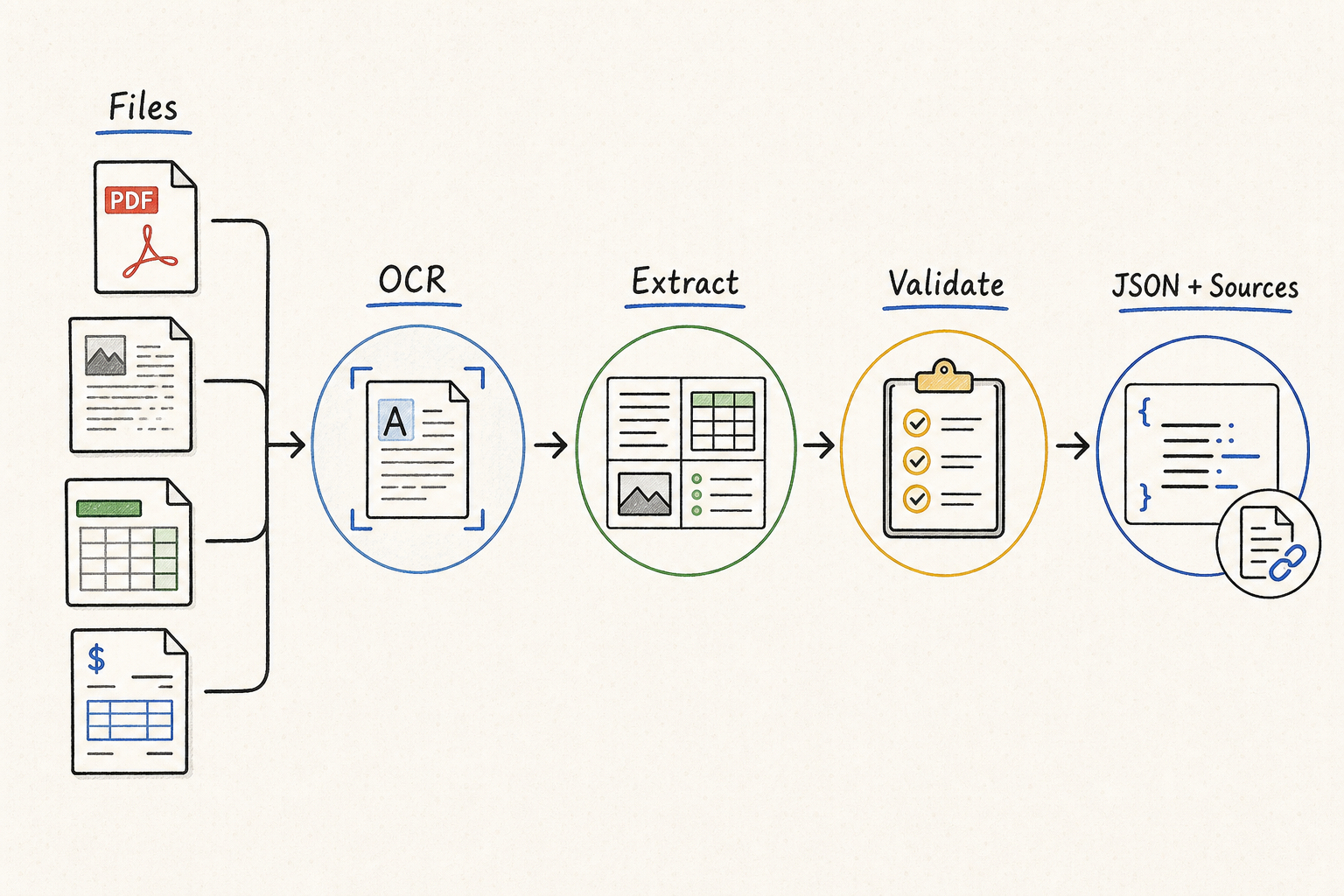
Large language models can reason over text, but real-world document analysis involves scanned PDFs, invoices, contracts, reports, receipts, forms, tables, screenshots, and mixed-format files. An LLM alone cannot perform OCR on a scanned image, extract structured fields from a table-heavy PDF, or validate whether a document is missing required information.
QVeris connects your AI agent to real document intelligence capabilities — OCR, PDF parsing, table extraction, document classification, field extraction, and file analysis — through one unified capability routing layer, powered by the Model Context Protocol (MCP). The agent discovers the right tool, inspects its schema and cost before calling, and receives structured, review-ready output.
Three capabilities every document intelligence agent needs to handle real-world files at scale.
Not every document is the same. QVeris lets the agent discover the most relevant OCR, parsing, or extraction capability for the specific file type, structure, and task — instead of hardcoding one tool.
Before calling a capability, the agent inspects required inputs, supported file types, output fields, cost signals, and provider metadata. No blind calls to unknown document tools.
The agent calls the selected capability and receives structured output — extracted fields, table data, classification labels, risk notes, and missing-field flags — ready for downstream review or automation.
How an AI agent uses QVeris to process a real-world document through seven structured steps.
The agent inspects the file and determines it is a vendor invoice in PDF format requiring OCR and field extraction.
The agent queries QVeris for capabilities matching the document type, file format, and extraction goals.
Before calling, the agent inspects required parameters, supported file types, expected output fields, and billing signals.
The agent executes the OCR and field extraction capability with the inspected parameters.
The agent receives structured output containing vendor name, invoice number, dates, amounts, line items, and payment terms.
The agent checks the extracted fields, identifies missing or low-confidence items, and flags potential payment risks.
The agent compiles a structured brief with all extracted fields, risk notes, missing-field flags, and suggested actions for human review.
Illustrative output from a document analysis agent. Not extracted from a real private document or invoice.
This is an illustrative example. It does not represent real private documents, invoices, or customer data. All extracted outputs should be reviewed and verified by qualified humans before use in financial or legal workflows.
Six real-world document intelligence workflows powered by QVeris capabilities.
Extract vendor, amounts, dates, line items, and payment terms from invoices. Flag missing fields and payment risks for review.
Identify parties, effective dates, obligations, renewal terms, and risk clauses from contract documents through structured extraction.
Parse tables, extract key metrics, and structure financial data from reports, filings, and statements for downstream analysis.
Process receipts, extract merchant, date, amount, and category, and route structured output to expense management workflows.
Map form fields to structured data, handle checkboxes, signatures, and handwritten inputs, and export for database insertion.
Classify documents, extract compliance-relevant fields, and flag missing or inconsistent information for auditor review.
| Requirement | Hardcoded document APIs | QVeris capability routing |
|---|---|---|
| Tool discovery | Developers manually search and wire each OCR or parsing provider | ✓Agent discovers relevant document capabilities based on the file type and task |
| Schema inspection | Developer reads and maintains provider-specific docs | ✓Agent inspects inputs, outputs, cost signals, and supported formats before calling |
| Multi-format support | Each file type may require a separate integration | ✓Agent can route different document types to different capabilities through one layer |
| Structured output | Often raw text or provider-specific JSON | ✓Structured output with fields, risks, missing flags, and suggested actions |
| Usage visibility | Spread across multiple provider dashboards | ✓Usage history and credits ledger in one place |
How a developer might instruct an AI agent to use QVeris for document analysis.
Developers building intelligent document processing agents that need OCR, parsing, and extraction capabilities beyond what an LLM provides.
Teams processing invoices, receipts, contracts, and reports who need structured, review-ready output without manual data entry.
Professionals reviewing contracts, regulatory filings, and compliance documents who need structured extraction with audit trails.
Teams embedding document intelligence into larger automation pipelines, dashboards, or enterprise workflows through a unified API layer.
Browse the complete catalog of AI agent tools and document capabilities.
Discover top MCP platforms for document intelligence and data extraction.
Explore PDF parsing, OCR, extraction, and document-to-workflow automation.
See a concrete implementation of document intelligence in an agent environment.
Use QVeris to give your AI agent access to OCR, document parsing, table extraction, and file intelligence capabilities — all through one unified layer.
